C
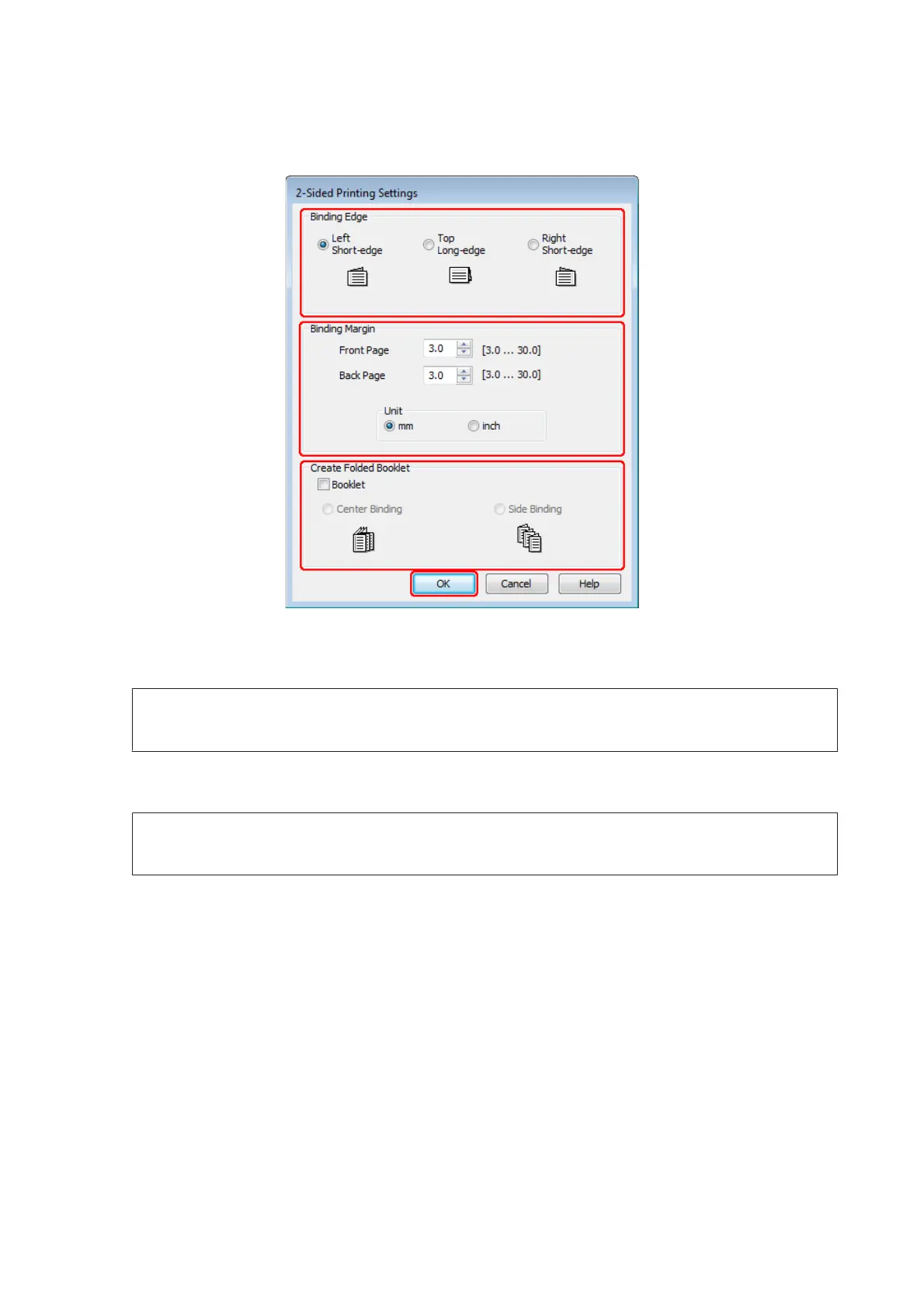
Click Settings to open the 2-Sided Printing Settings window.
D
To print folded booklets using the 2-sided printing option, select the Booklet check box, and choose Center
Binding or Side Binding.
Note:
Center Binding is not available with manual printing.
E
Select which edge of the document will be bound.
Note:
Some settings are not available when Booklet is selected.
WP-4511/4515/4521/4525/4530/4531/4535/4540/4545/4590/4595 User’s Guide
Printing
52











 To Next Page