❏ Do not touch the green IC chip on the side of the maintenance box.
❏ Keep out of reach of children, and do not drink the ink.
❏ Do not tilt the used maintenance box until it is placed in the plastic bag provided.
❏ Do not reuse a maintenance box which has been removed and left detached for a long period.
❏ Keep the maintenance box away from direct sunlight.
Replacing a maintenance box
To replace the maintenance box, follow the steps below.
A
Confirm that the product is not draining the ink.
B
Remove the replacement maintenance box from the package.
Note:
Do not touch the green chip on the side of the box. Doing so may prevent normal operation.
C
Push the buttons on either side of the rear unit at the same time, and then pull the unit out.
D
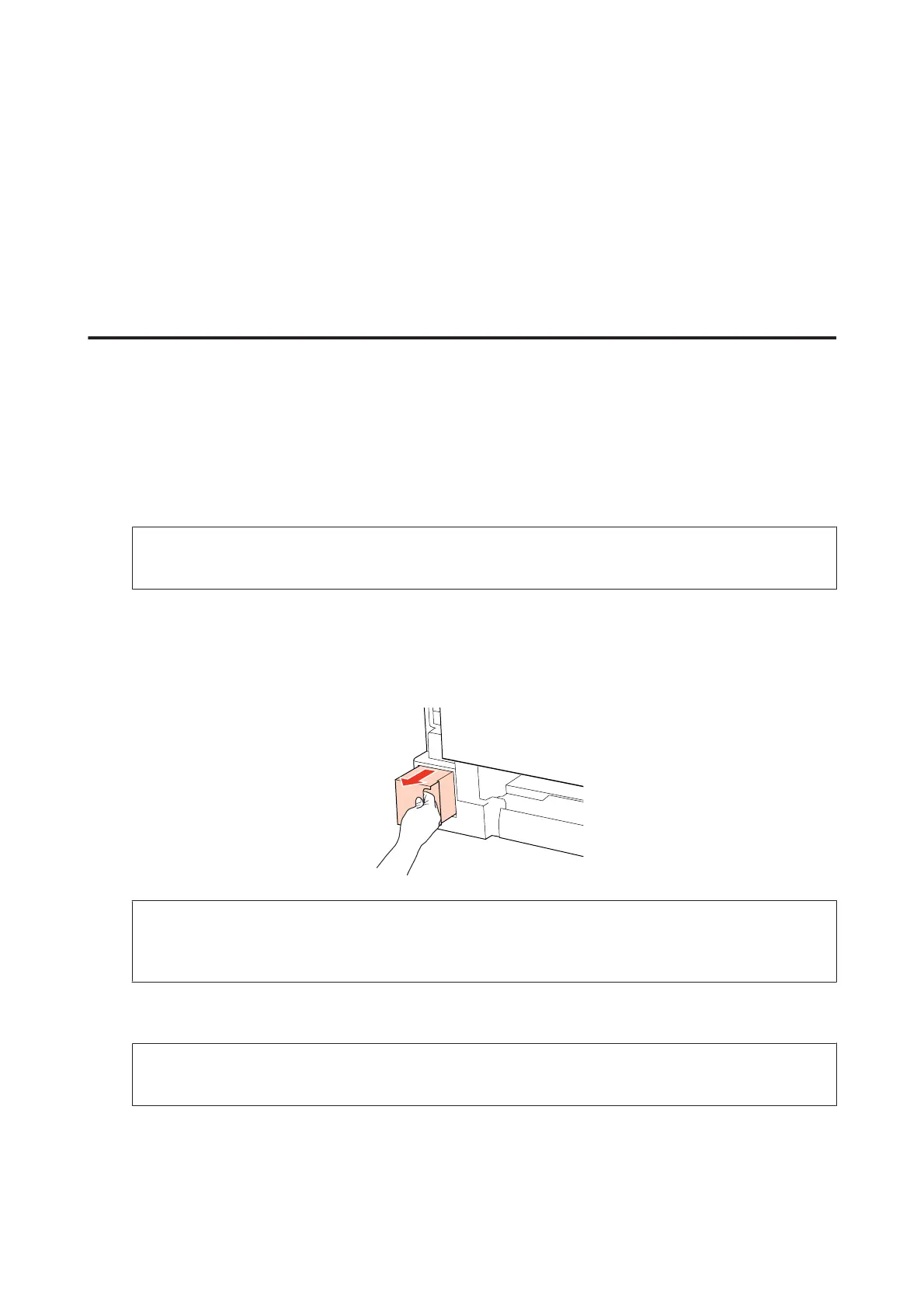
Put your hand on the handle of the maintenance box, and then pull the box outward.
Note:
If ink gets on your hands, wash them thoroughly with soap and water. If ink gets into your eyes, flush them
immediately with water.
E
Put the used maintenance box in the plastic bag provided with the replacement box, and dispose of it properly.
Note:
Do not tilt the used maintenance box until after it is sealed in the plastic bag.
WP-4511/4515/4521/4525/4530/4531/4535/4540/4545/4590/4595 User’s Guide
Replacing Consumables
135











 To Next Page