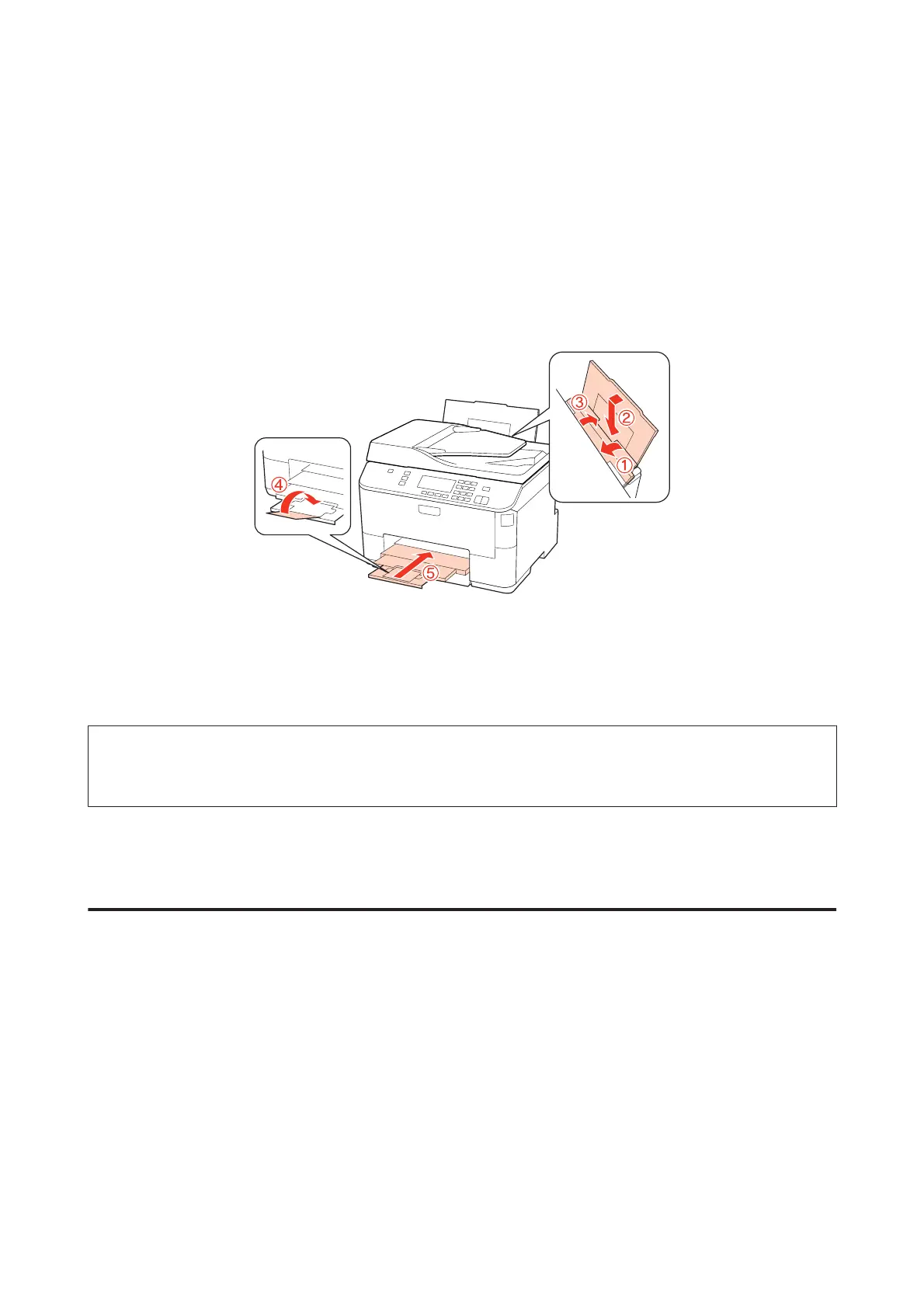
A
Make sure the printer is off.
B
Unplug the power cord from the outlet, then disconnect the USB cable from your computer. Disconnect all
other cables from the printer.
C
Remove all paper from the rear MP tray.
D
Flip back the feeder guard, and then close the paper support and the output tray.
E
Remove all paper from the paper cassette and re-insert the cassette into the printer.
F
Repack the printer in its box, using the protective materials that came with it.
Note:
❏ Keep the printer level during transport.
❏ Be sure to remove the protective materials from the printer before using it again.
Checking and Installing Your Software
Checking the software installed on your computer
To use the functions described in this User’s Guide, you need to install the following software.
❏ Epson Driver and Utilities
❏ Epson Event Manager
Follow the steps below to check that the software is installed on your computer.
WP-4511/4515/4521/4525/4530/4531/4535/4540/4545/4590/4595 User’s Guide
Maintaining Your Printer and Software
148











 To Next Page