Note:
After loading paper, set paper size for each paper source. Paper will be fed from appropriate paper source based on setting.
& “Paper Size Loaded” on page 117
When using special Epson paper, refer to the section below.
& “Introduction to Using, Loading, and Storing Media” on page 25
Refer to the section below for the printable area.
& “Printable area” on page 190
Basic printer settings for Windows
A
Open the file you want to print.
B
Access the printer settings.
& “Accessing the printer driver for Windows” on page 39
C
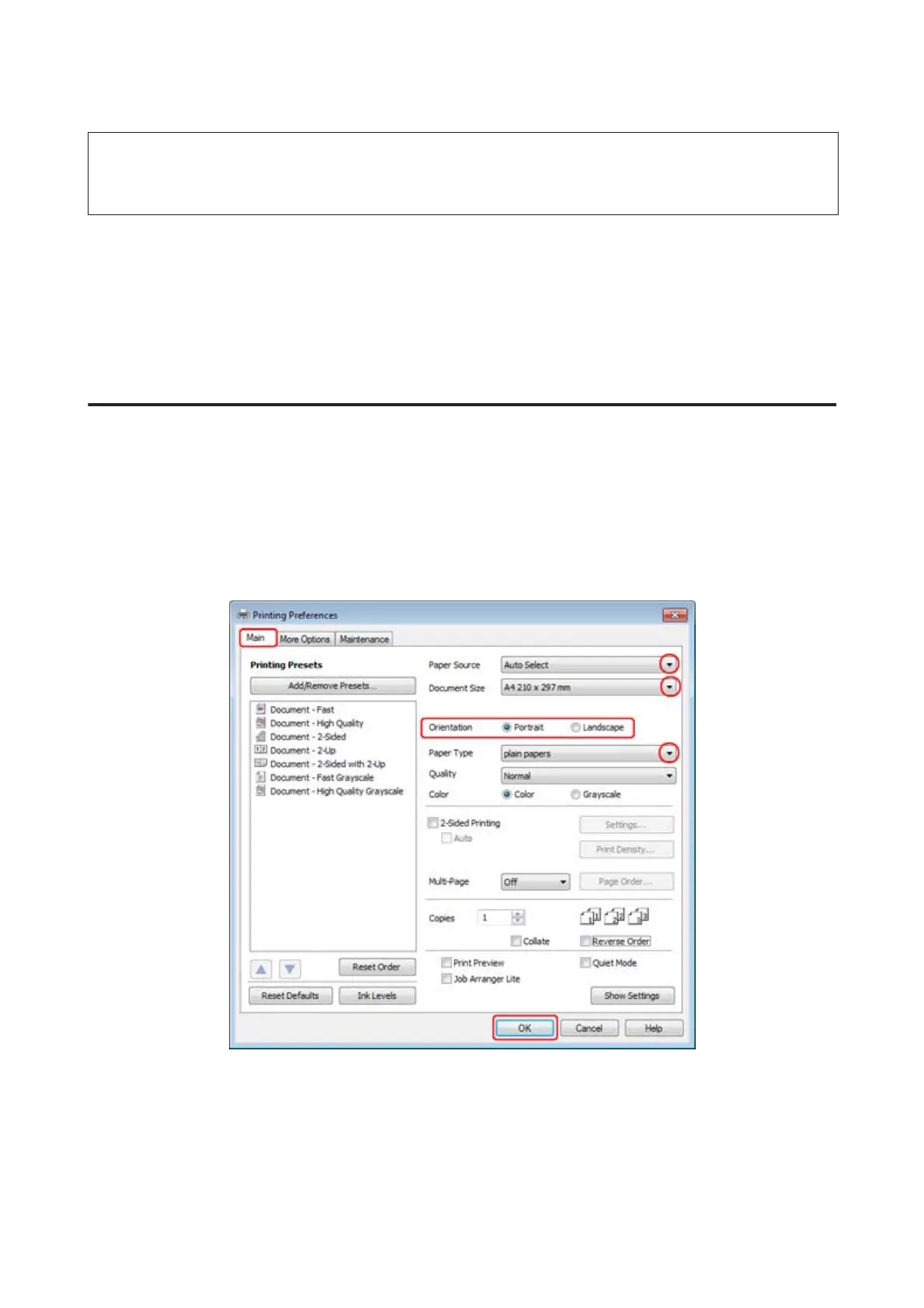
Click the Main tab.
D
Select the appropriate Paper Source setting.
WP-4511/4515/4521/4525/4530/4531/4535/4540/4545/4590/4595 User’s Guide
Printing
42











 To Next Page