c
Caution:
To prevent paper jams, avoid the following documents. For these types, use the document glass.
❏ Documents held together with paper clips, staples, etc.
❏ Documents that have tape or paper stuck to them.
❏ Photos, OHPs, or thermal transfer paper.
❏ Paper that is torn, wrinkled, or has holes.
A
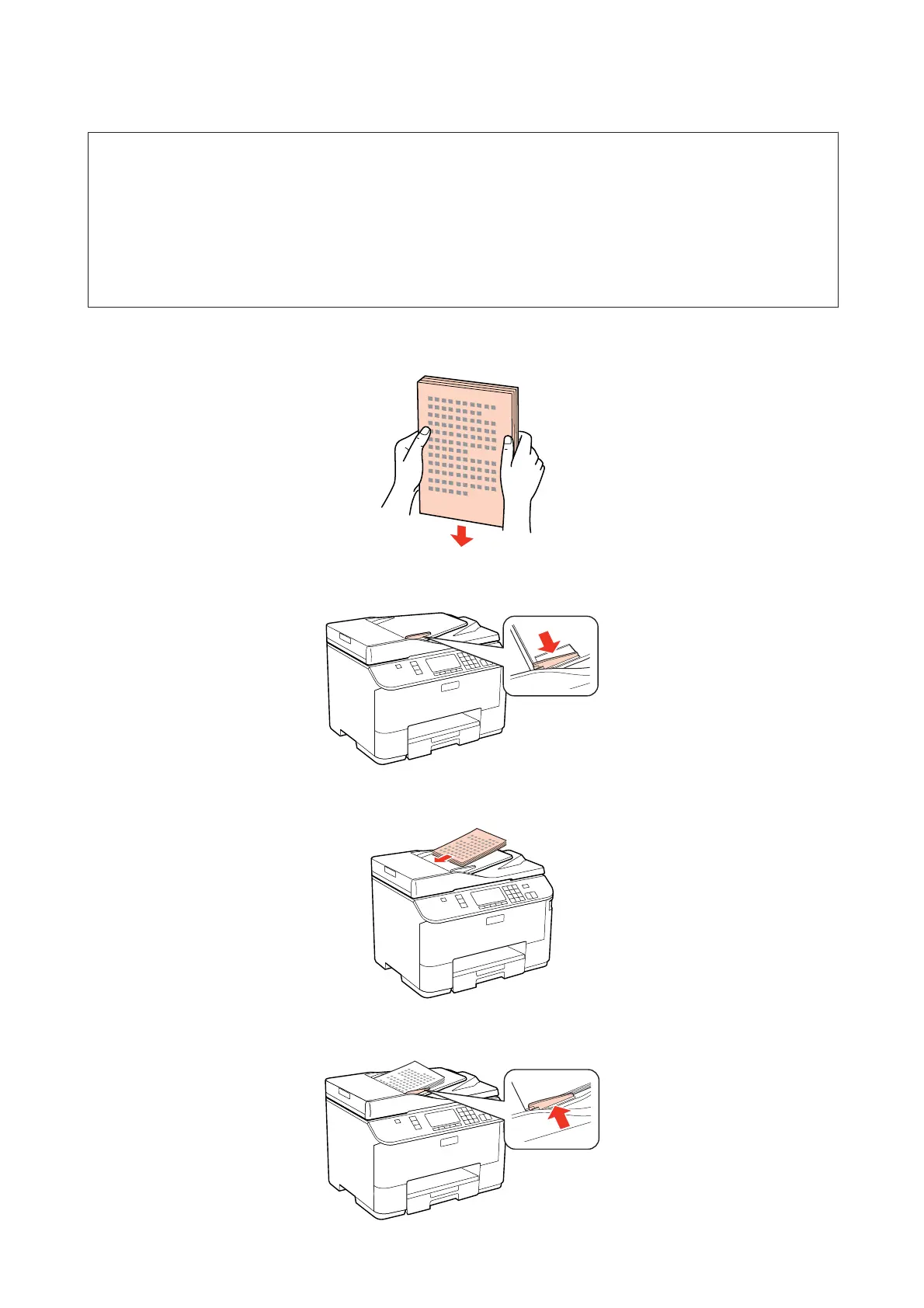
Tap the originals on a flat surface to even the edges.
B
Slide the edge guide on the Automatic Document Feeder.
C
Insert the originals face-up and short edge first into the Automatic Document Feeder.
D
Slide the edge guide until it is flush with the originals.
WP-4511/4515/4521/4525/4530/4531/4535/4540/4545/4590/4595 User’s Guide
Paper Handling
36











 To Next Page