B
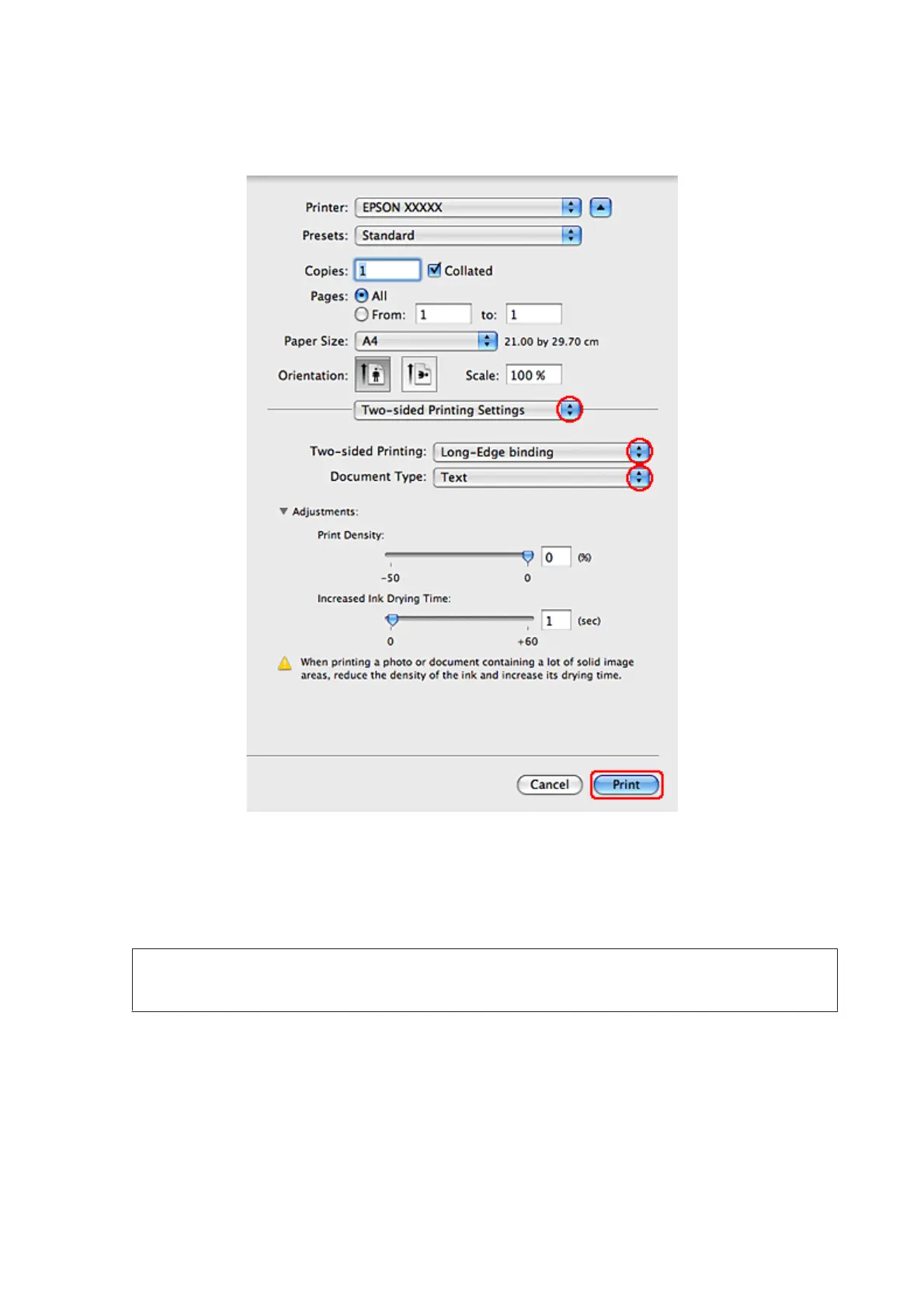
Select Two-sided Printing Settings from the pop-up menu.
C
Select Long-Edge binding or Short-Edge binding from the Two-sided Printing pop-up menu.
D
Select one of the Document Type settings. This automatically adjusts Print Density and Increased Ink Drying
Time.
Note:
If you are printing high-density data, such as graphs, we recommend adjusting settings manually.
E
Click Print to start printing.
Printer settings for Mac OS X 10.4
A
Make adjustments to basic settings.
& “Basic printer settings for Mac OS X 10.4” on page 45
WP-4511/4515/4521/4525/4530/4531/4535/4540/4545/4590/4595 User’s Guide
Printing
55











 To Next Page