7
2.4.1 Duty Status
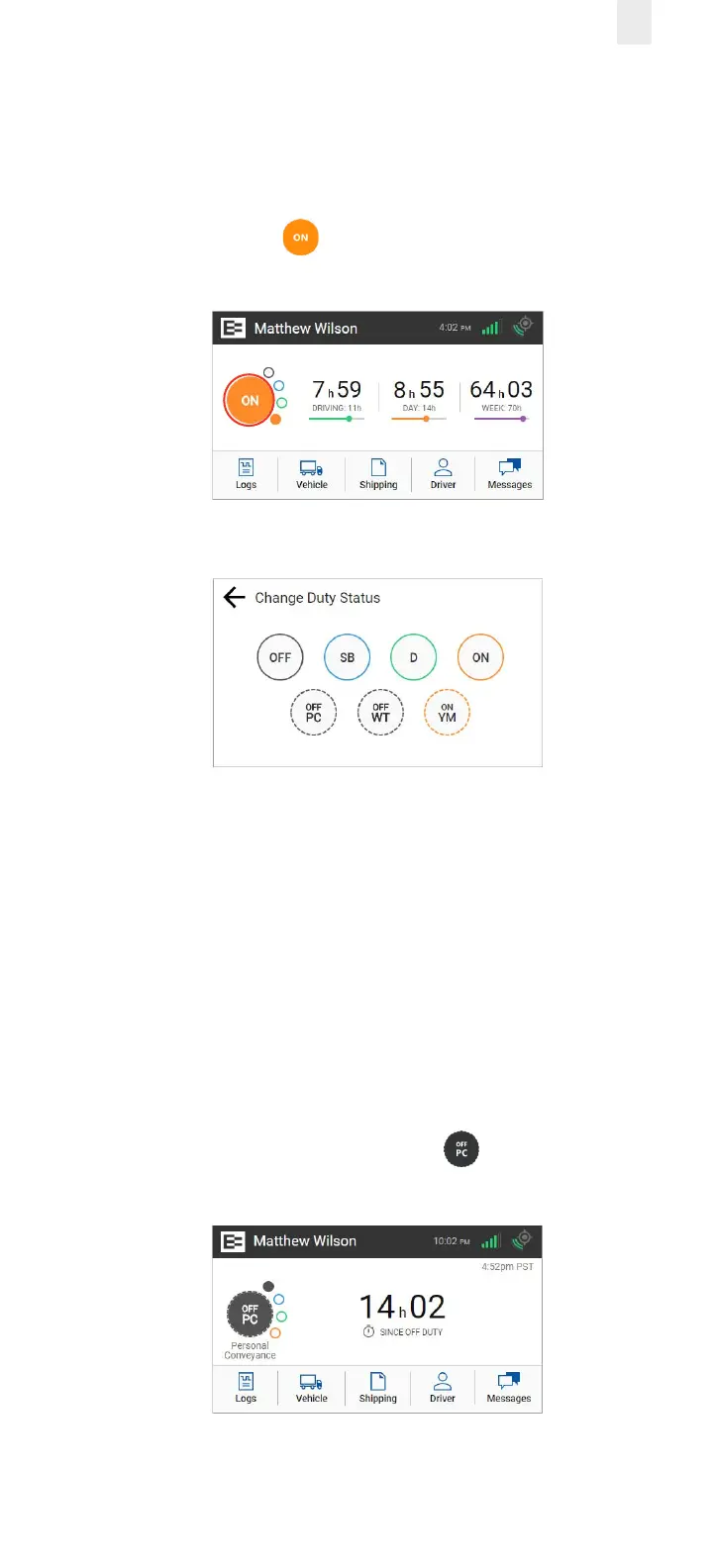
Perform the following steps to change your duty status.
1. Tap the large circle on the left side of the Home screen. Your
duty status is listed in the middle of the circle.
Example: Tap On . The Change Duty Status screen
appears.
2. Tap the duty status that you want. The Home screen
appears with the duty status that you select.
2.4.2 Personal Conveyance Status
This is a special driving category that might be provided by
your supervisor. This duty status counts as O Duty in your
hours of service. You must add a remark in your logs when you
use this duty status.
Note: See section 3.7.1, Adding a Remark to learn more about
adding a remark.
1. Tap the large circle on the left side of the Home screen. The
Change Duty Status screen appears
(as shown in section 2.4.1., Duty Status above).
2. Tap the OFF - Personal Conveyance status. The Home
screen appears with the changed status.



 To Next Page