45
5.2.1 Viewing Header Information
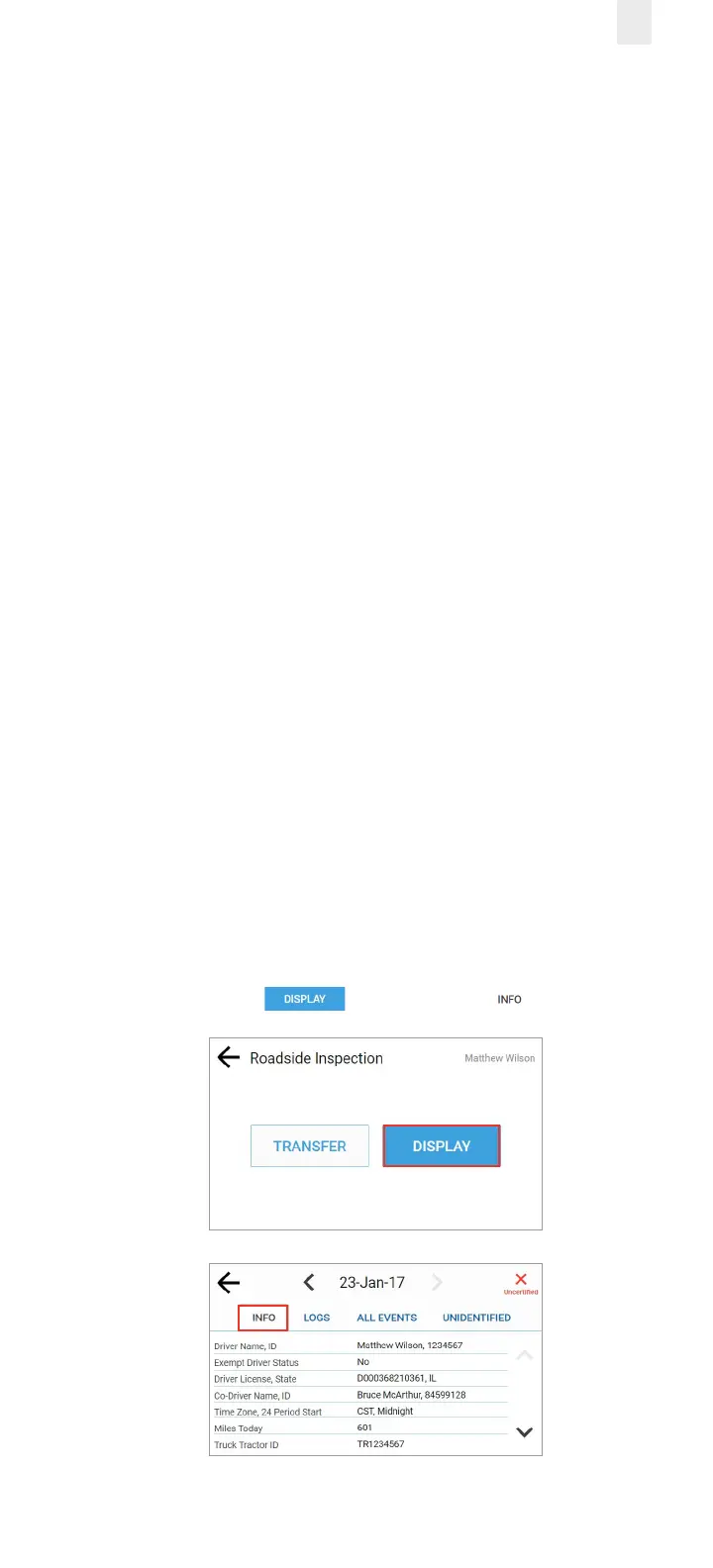
Header information displays a variety of information on
driver status, truck and shipping information, and so on. The
header information demonstrates that your EROAD ELD logs
are compliant with regulations. This information includes the
following criteria:
• Driver Name, ID
• Exempt Driver Status
• Driver License, State
• Co-Driver Name, ID
• Time Zone, 24 (hour) Period Start
• Miles Today
• Truck Tractor ID
• Truck Tractor Vehicle Identification Number (VIN)
• Start – End Odometer
• Start – End Engine Hours
• Trailer ID
• Shipping ID
• Carrier, USDOT Number
• ELD Manufacturer, ID
• Data Diagnostic Indicators
• Unidentified Driver records
• ELD Malfunction Indicators
• Display Date
• Current Location
Perform the following steps to view the header information.
1. Ensure that you have completed the steps described in
section 5, Roadside Inspection.
2. Tap the Display button. The Info tab appears.



 To Next Page