50
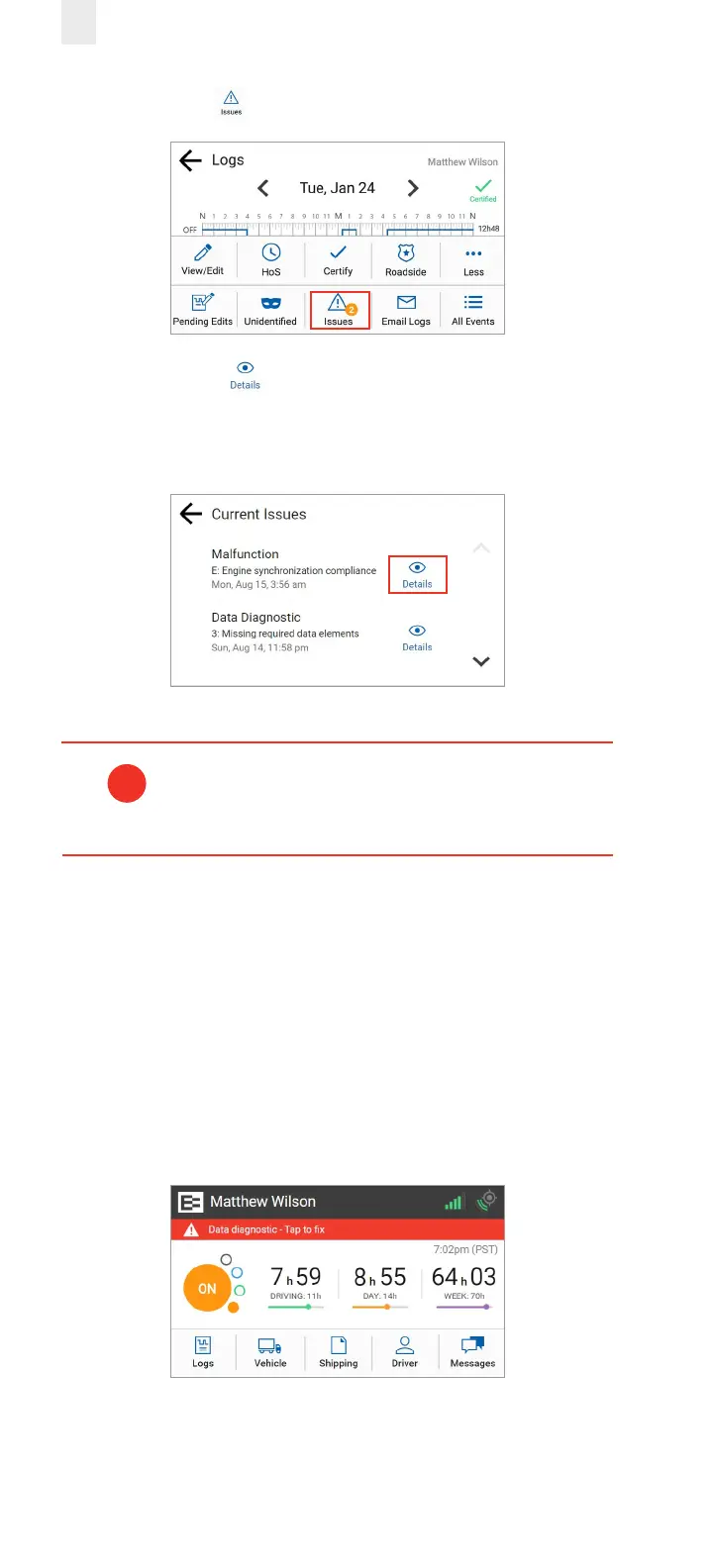
3. Tap the Issues icon. The Current Issues screen appears.
4. Tap the Details button to view more information
about the malfunction.
Note: Tapping the red banner on the Home screen jumps to
the Current Issues screen.
Refer to the malfunction information on the visor
card or contact your supervisor if a malfunction is
not resolved.
!
6.2 RESOLVING DATA DIAGNOSTICS
A red banner appears across the Home screen under the
driver’s name if a data diagnostic issue is present. You must
examine your logs and enter the required information to
resolve the issue.
• Tap the red banner on the Home screen. Follow the steps
described in section 6.1, Managing Malfunctions to view
more information about data diagnostic issues.



 To Next Page