13
2.7 ADDING OR DROPPING TRAILERS
The EROAD ELD lets you easily add or drop trailers. You need
to enter the trailer number in the EROAD ELD each time you
connect a trailer to your vehicle.
2.7.1 Adding Trailers
Perform the following steps to add a trailer.
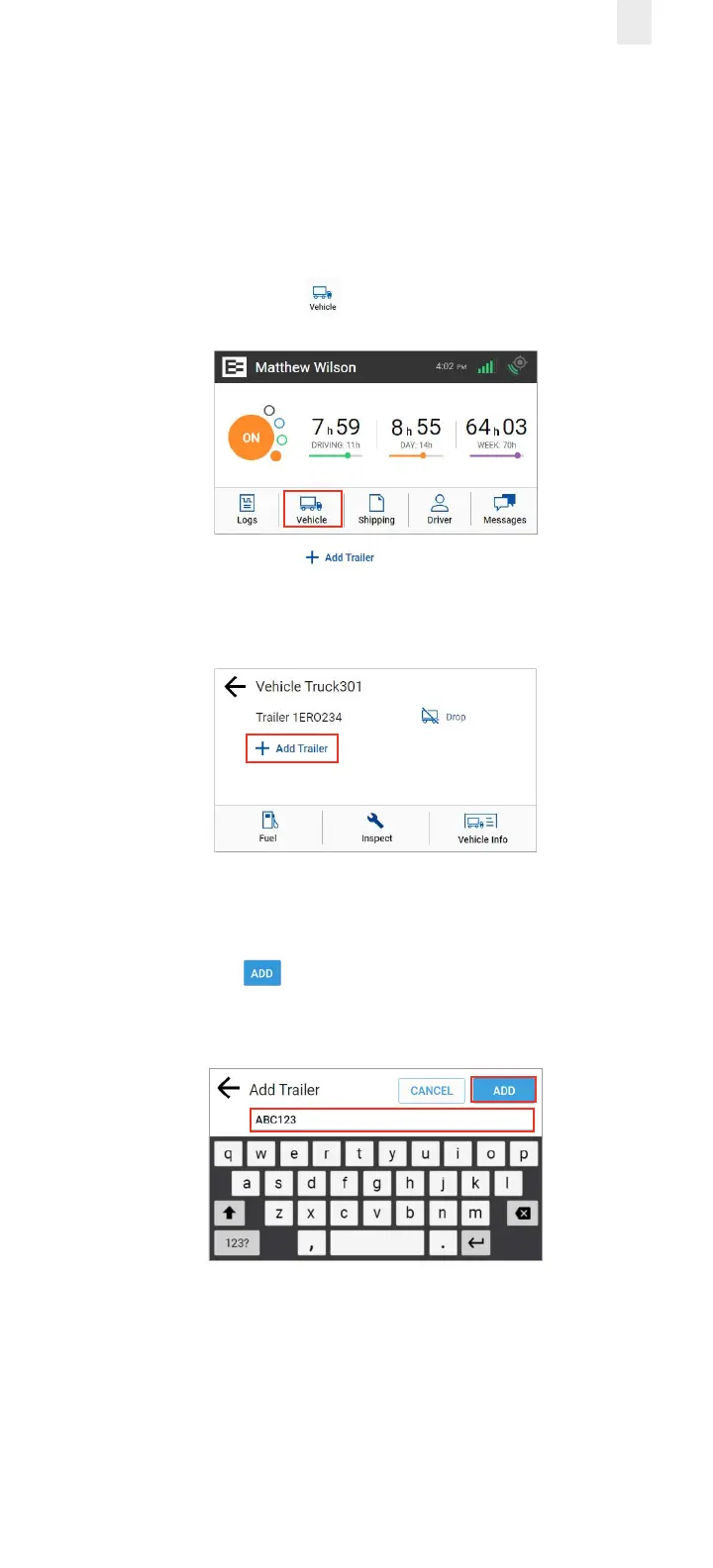
1. Tap the Vehicle icon on the Home menu.
2. Tap the Add Trailer link on the Vehicle screen.
The Trailers screen displays a list of trailers previously
entered.
The Connect Trailer screen appears if no trailers are found.
3. Enter the trailer ID in the Add Trailer field.
4. Tap the Add button. The Connected Trailers screen
displays a confirmation message.
Note: You can connect from one up to three trailers.



 To Next Page