14
2.7.2 Dropping Trailers
Perform the following steps to drop a trailer.
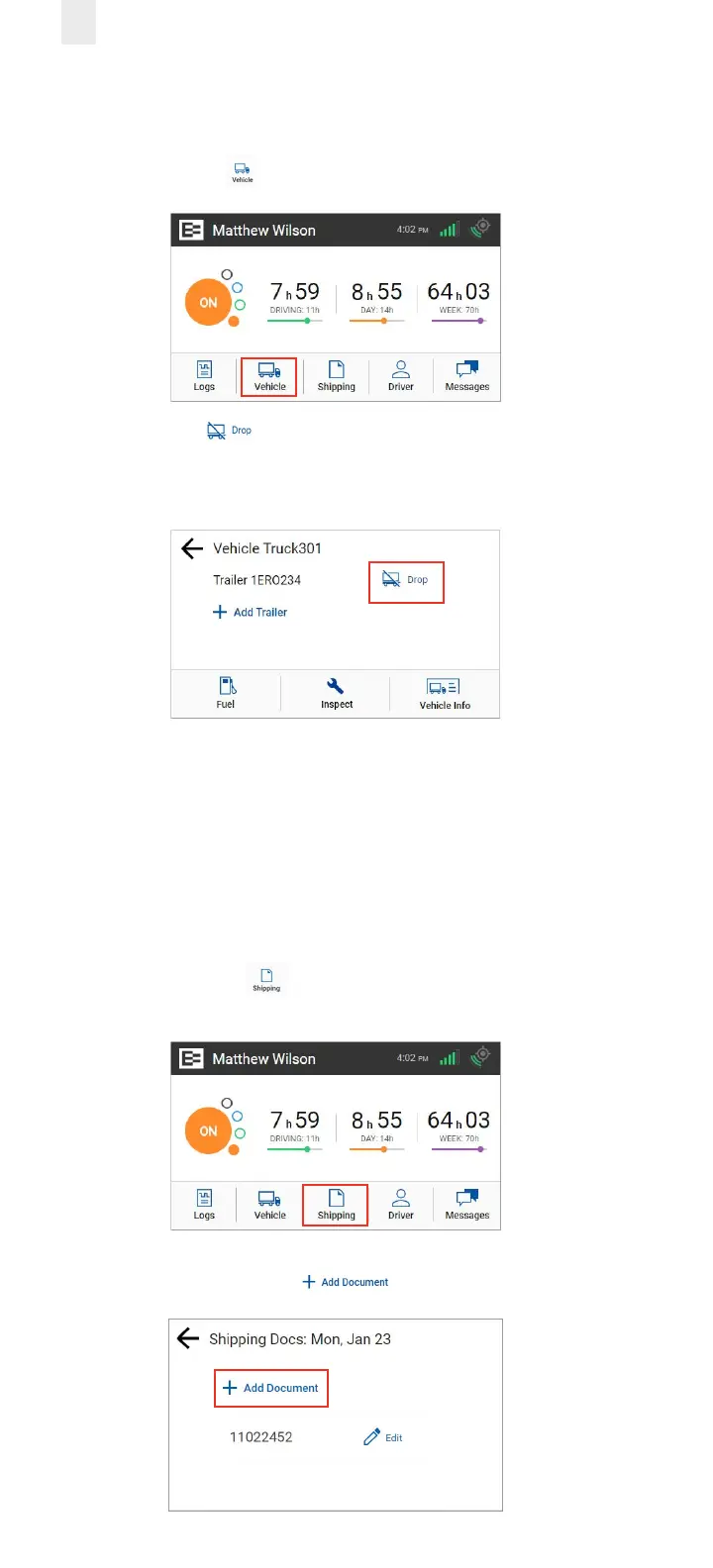
1. Tap the Vehicle icon on the Home menu.
2. Tap the Drop icon beside the trailer ID that you want
to drop. A confirmation message displays that the trailer
number was removed.
2.8 ENTERING A SHIPPING DOCUMENT
The EROAD ELD allows you to quickly enter a shipping
document (such as a bill of lading). The following sections
describe how to add or delete a shipping document.
2.8.1 Adding a Shipping Document
Perform the following steps to add a shipping document.
1. Tap the Shipping icon on the Home menu. The
Shipping Docs screen appears.
2. Tap the Add Document icon.



 To Next Page