20
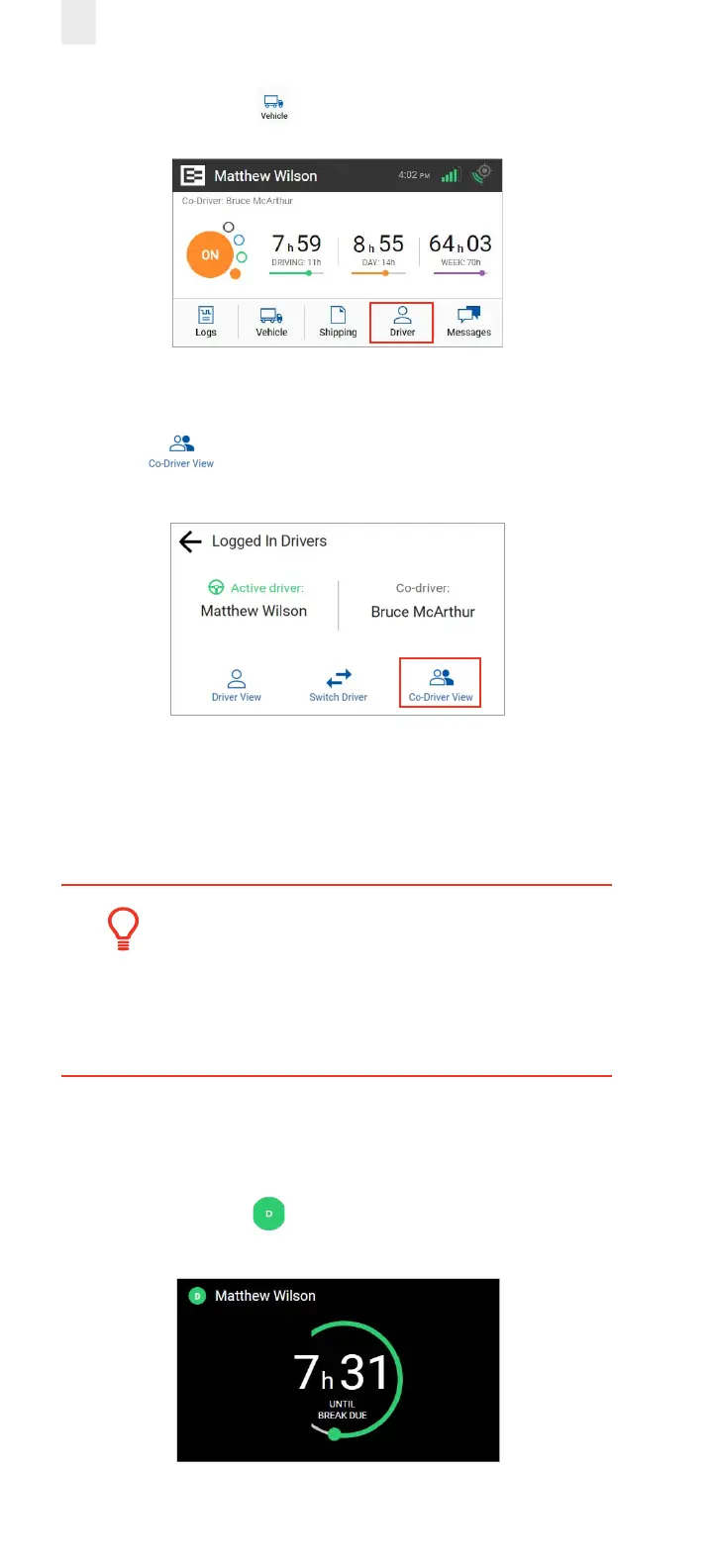
1. Tap the Driver icon on the Home menu.
2. The Logged-in Driver screen appears. Tap the Co-Driver
View icon.
3. Co-driver: Enter your PIN at the prompt. The co-driver’s
driver profile screen displays.
Note: This process can be applied in reverse, if you begin
from the Co-Driver View.
Tip:
• EROAD ELD logs are secure and prevent
unauthorized access to another driver’s logs.
• You must enter your PIN number at the
prompt, if you begin from an opposite view.
3.1.2 Exiting Driving Mode
Perform the following steps to exit driving mode when you
stop driving.
1. Tap on the Driving duty status icon that appears next to
your name when you stop driving.



 To Next Page