33
4 Advanced Log Edits
This chapter describes how to make corrections that are
suggested by your supervisor, swapping driving time, claiming
unidentified driving time, and exporting your logs.
4.1 REVIEWING SUGGESTED CORRECTIONS
Drivers have two ways to view and make corrections that
are suggested by the supervisor. A prompt appears when
you log into or out of the EROAD ELD or you can review the
suggested changes later through the Logs menu.
Tip:
An orange LED illuminates on the top of the ELD
when a pending edit is ready to review.
4.1.1 Reviewing Suggested Edits at Login and Logout
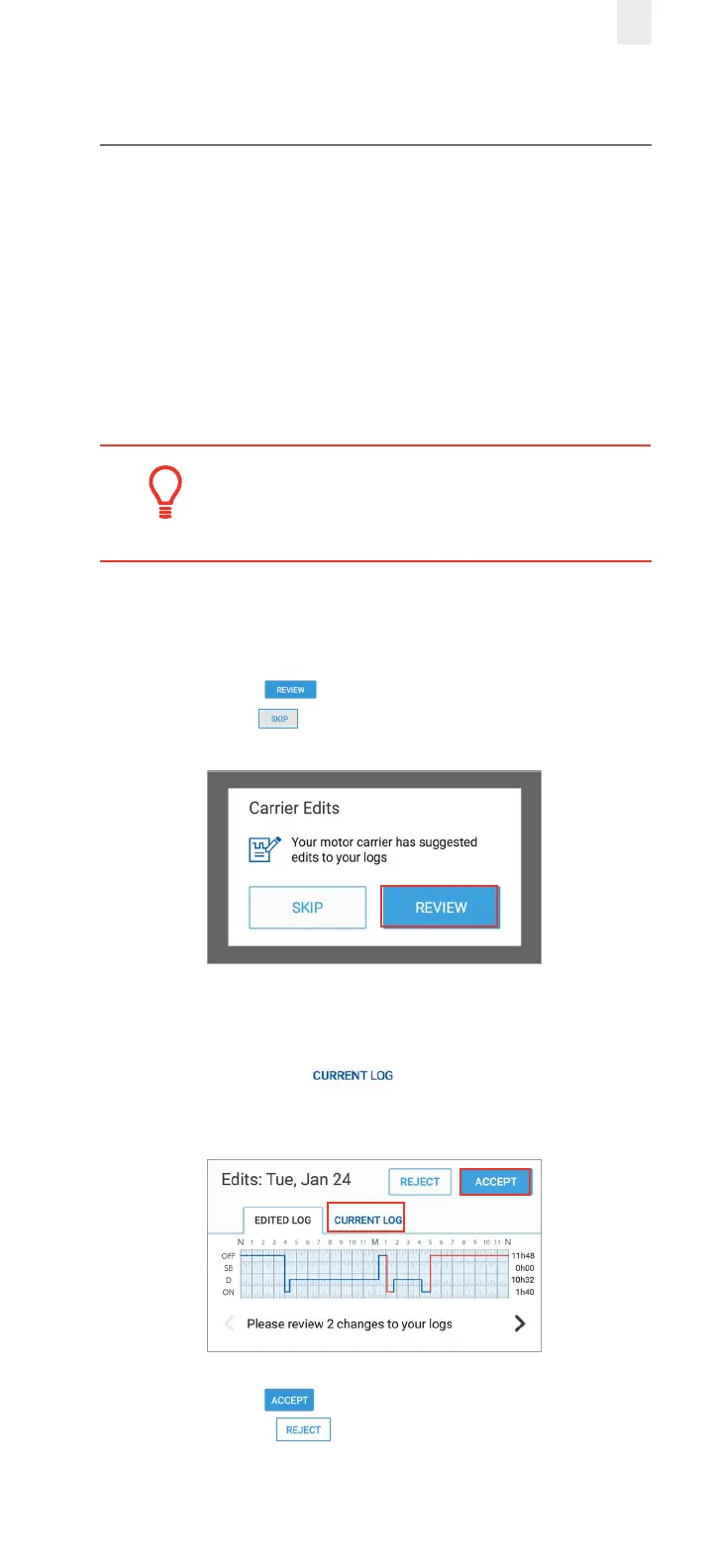
The Carrier Edits screen might appear at login or logout if the
supervisor has suggested edits to your logs.
1. Tap the Review button to examine the edited record
or tap the Skip button to look at them later.
The Carrier Edits graph screen appears. The edited log is
shown on the graph so you can examine the changes.
2. Tap the Current Log tab to view the previously
certified day.
3. Tap the Accept button if you agree with the change
or tap the Reject button. The Carrier Edits screen
displays a confirmation message when completed. An
accepted change updates your log, and you have to re-



 To Next Page