38
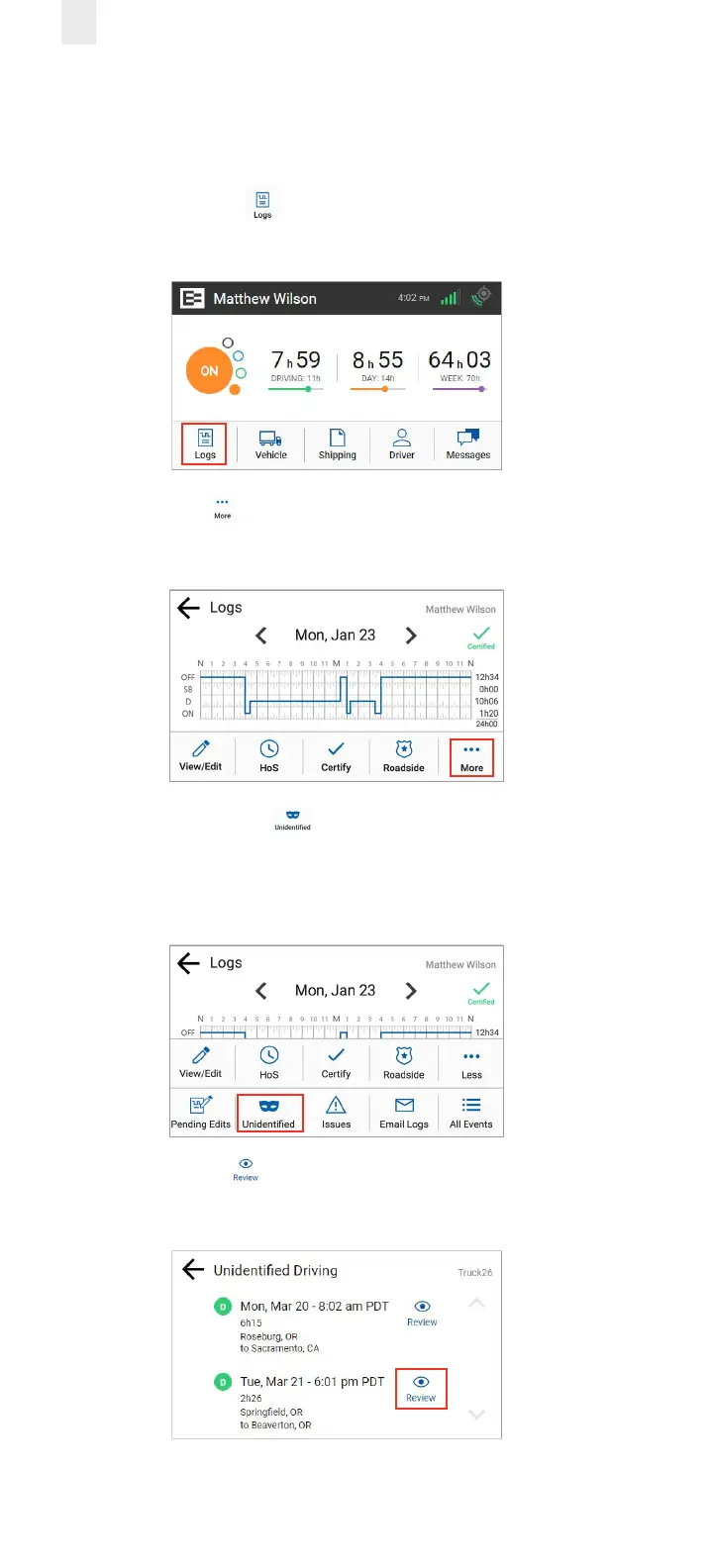
4.3.2 Claiming Unidentified Trips in Logs Menu
Perform the following steps to claim unidentified driving time
if you forgot to log in before your trip.
1. Tap the Logs icon on the Home screen. The Logs
screen appears.
2. Tap the More icon on the Logs screen. The Logs menu
expands to reveal a second row of menu options.
3. Tap the Unidentified icon. The Unidentified screen
displays the records that need to be claimed.
Note: An alert icon might appear on the Unidentified icon if
your supervisor assigned an unidentified trip to you.
4. Tap the Review icon to see details about the driving
time. The Claim Driving Time screen appears



 To Next Page