21
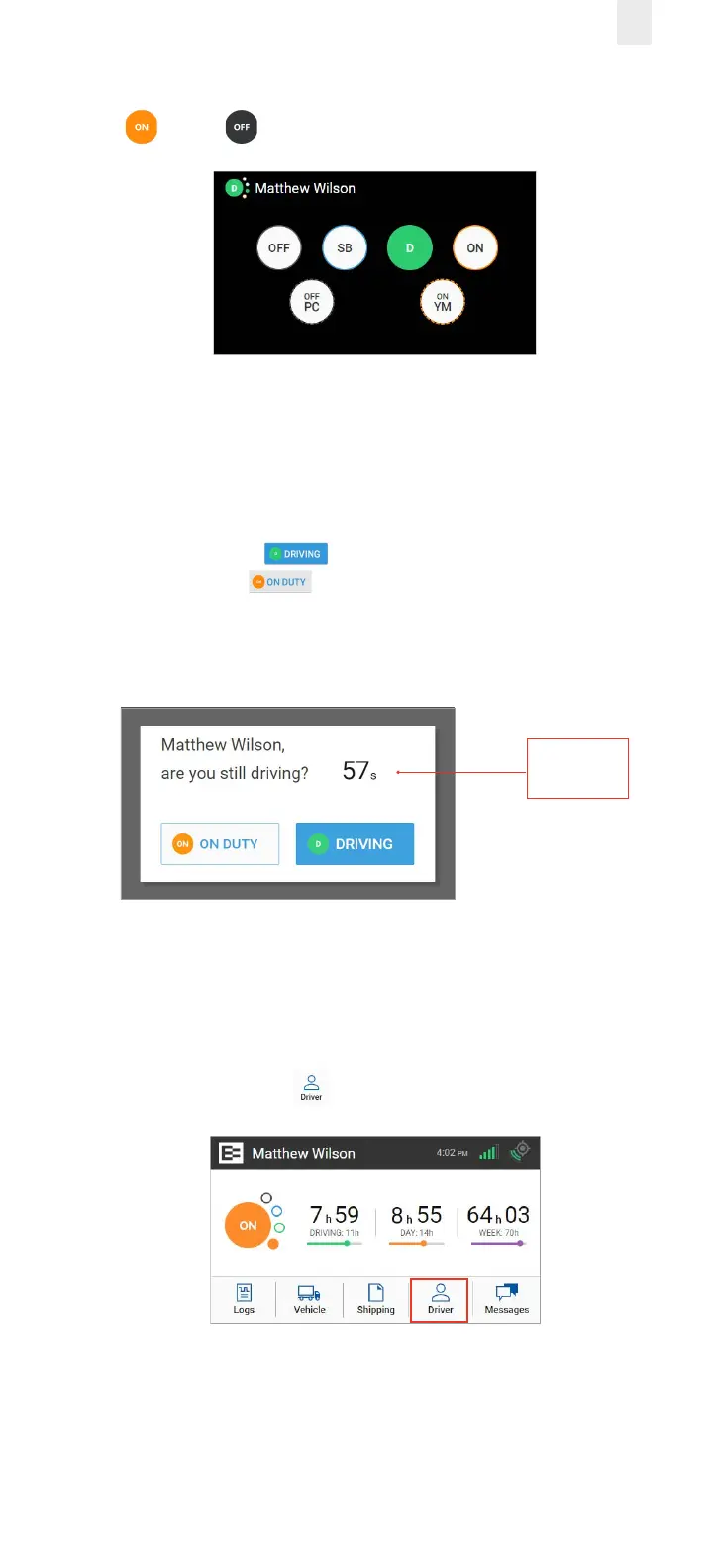
2. Tap the duty status that applies to the change (such as ON
or OFF ). You are returned to the Home screen.
3.1.2.1 Exiting Driving Mode Alternative Process
The screen on the EROAD ELD automatically changes if your
vehicle is stationary for five minutes. You have 60 seconds to
respond to the prompt, otherwise, your status changes to On
Duty, if you ignore the prompt.
• Tap the Driving button if you are still driving or tap
the ON DUTY button if you are not driving.
Note: Use the duty status icon to change your duty status, if
needed. See section 2.4.1, Duty Status for more information.
60-Second
Counter
3.2 ADDING A CO-DRIVER
Both the active driver and co-driver must be logged into the
EROAD ELD, when driving with a co-driver. Co-driver login can
be accomplished using the following steps.
1. Tap the Driver icon on the Home menu.



 To Next Page