31
3.8 CERTIFYING YOUR LOGS
It is best to certify your logs at the end of each trip. Perform
the following steps to certify your logs if any previous days are
uncertified.
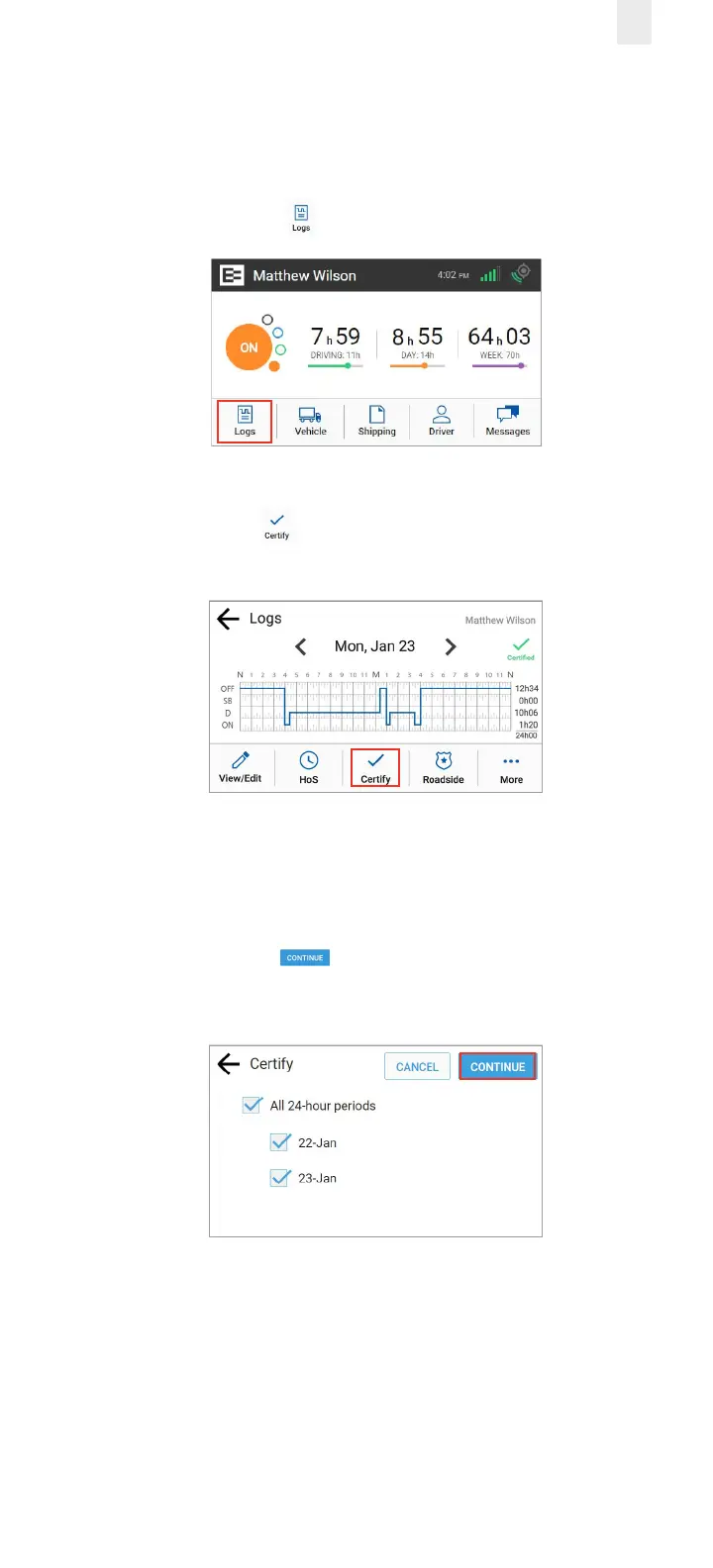
1. Tap the Logs icon on the Home screen.
2. Tap the Certify icon on the Logs screen. The Certify
screen displays.
(Optional) Tap a check box (date) only on the Certify screen
if you want to disable it because you are not ready to certify
that date.
3. Tap the Continue button. A confirmation message
appears for the selected dates.



 To Next Page