32
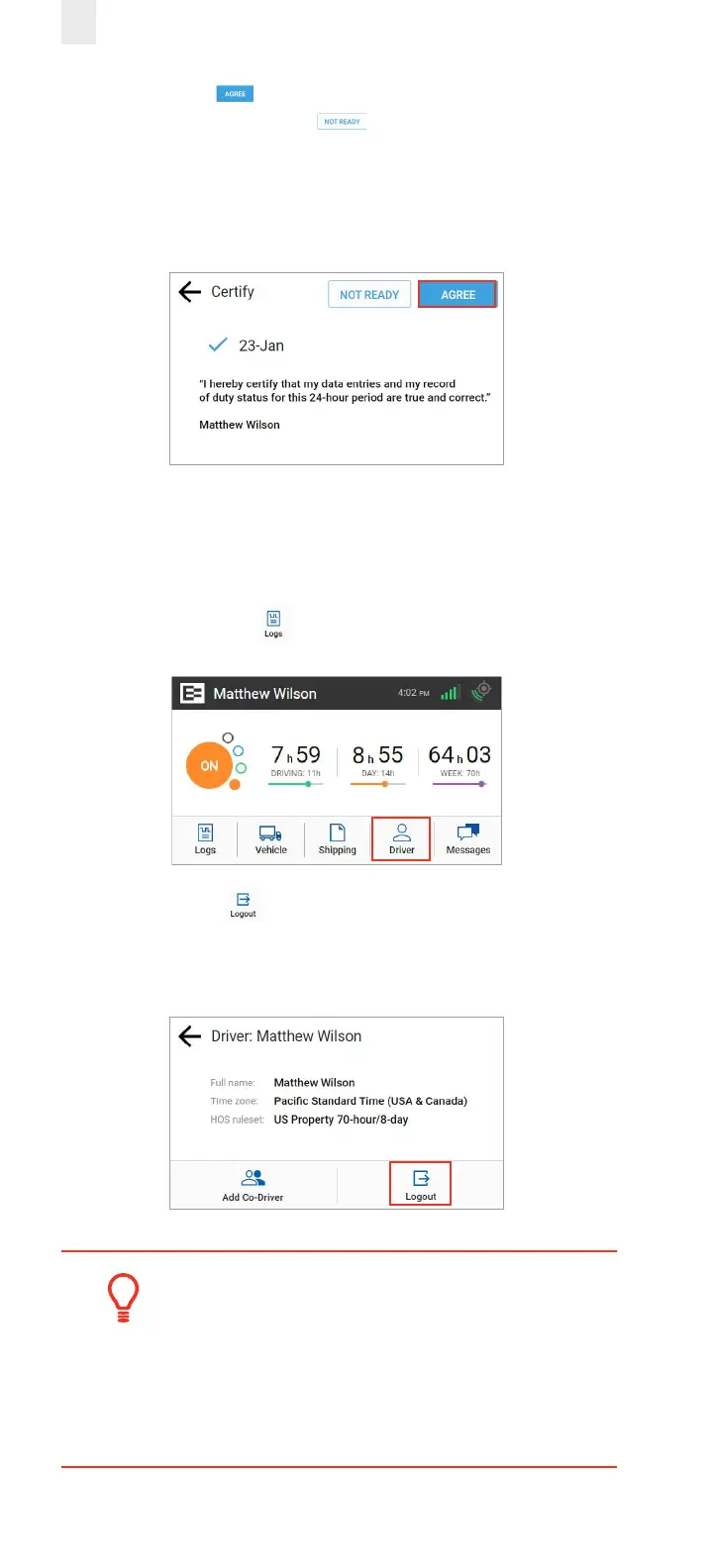
4. Tap the Agree button if you are ready to certify those
logs or tap the Not Ready button if you need to edit
something else. Ensure that your log is true and correct
before you certify. A Certification Successful message
appears on screen.
3.9 FINISHING YOUR DAY / LOGGING OUT
You need to log out when you finish your day to prevent
another driver from accessing your logs. Perform the following
steps to logout.
1. Tap the Driver icon on the Home screen.
2. Tap the Logout icon. The EROAD ELD prompts you
to certify your logs if they are uncertified. See section 3.8,
Certifying Your Logs for more information.
Tip:
Be careful if you use a kill switch. Change your
duty status to OFF, then logout before using the
kill switch. Otherwise, you might stay in Driving
status overnight.



 To Next Page