28
Tip:
You cannot delete driving time that was not
manually entered.
3.7.3 Inserting a Missing Record
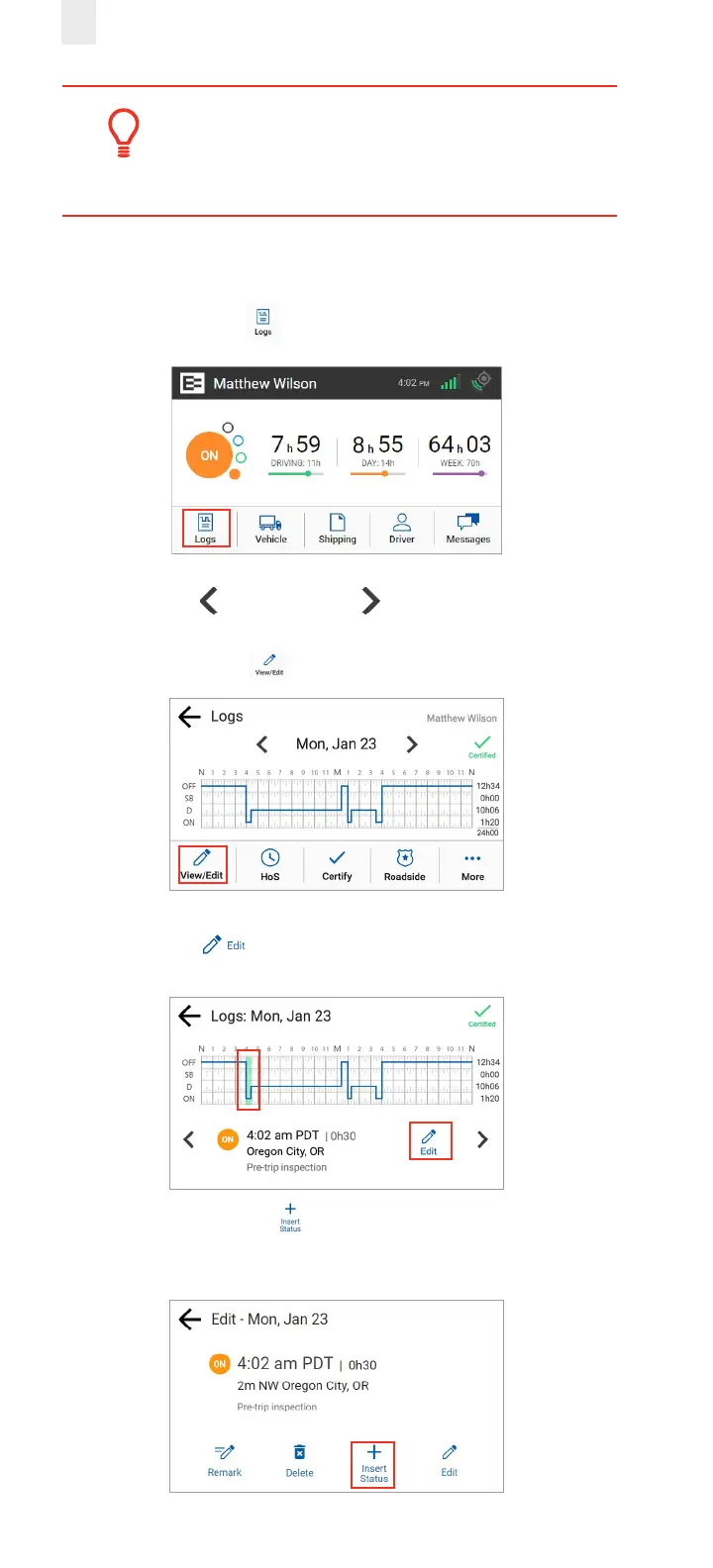
Perform the following steps to insert a missing record.
1. Tap the Logs icon on the Home screen.
2. Tap the Left arrow or Right arrow until you locate
the point in your logs where you want to insert a record.
3. Tap the View/Edit icon on the Logs screen.
4. Tap the Edit icon on the View/Edit screen. The Edit
Summary screen appears.
5. Tap the Insert Status icon. The Add Status screen
appears.



 To Next Page