29
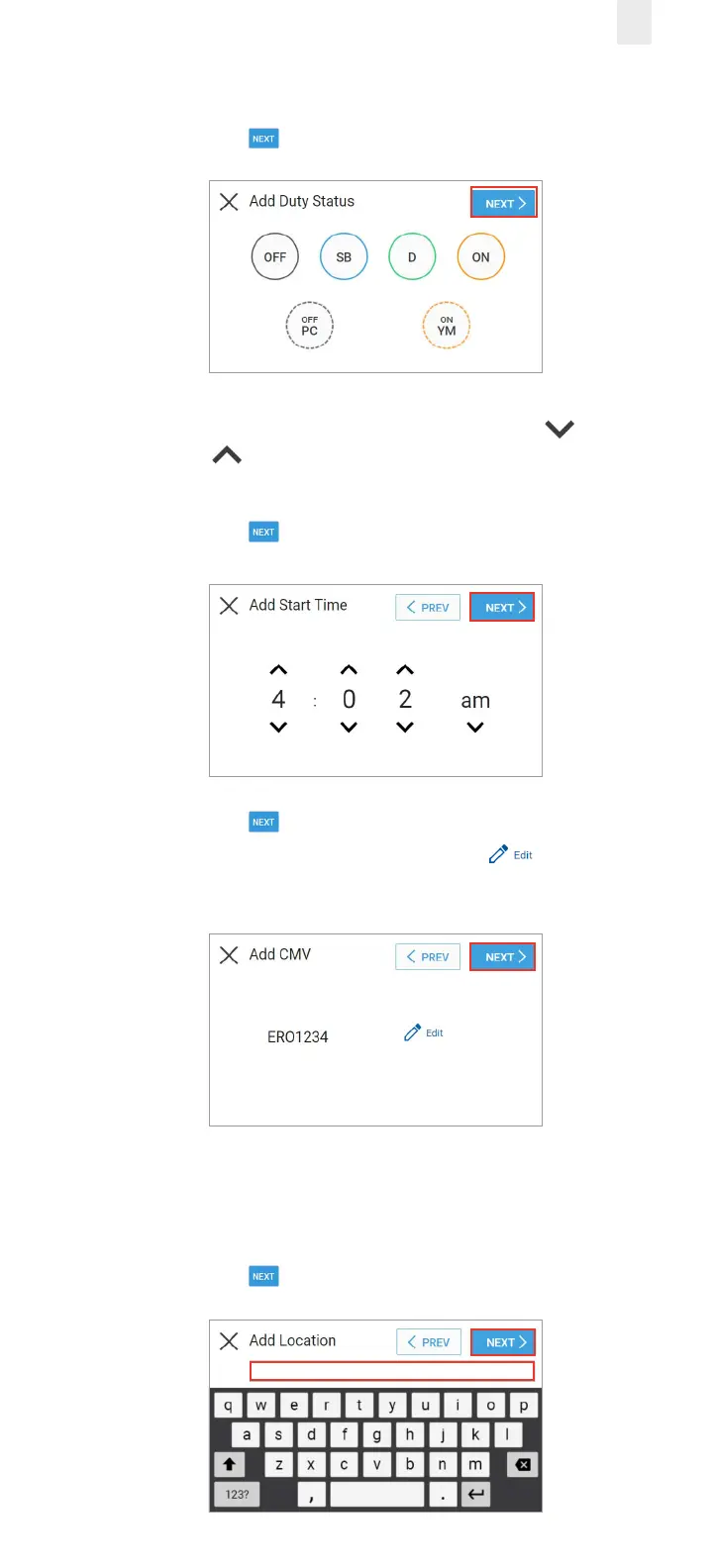
6. Tap the duty status that you want to insert.
7. Tap the Next button.
8. The Add Start Time screen appears. Tap the Up arrow
or Down arrow to set the hour, minute, and AM or PM
setting.
9. Tap the Next button. The Add CMV screen appears.
10. Tap the Next button to confirm the CMV.
Note: You have the option to tap the Edit icon if a CMV
change is needed.
11. Enter your location in the Add Location field.
Note: This is pre-populated with the current location, but
might require correction.
12. Tap the Next button. The Add Remark screen appears.



 To Next Page