22
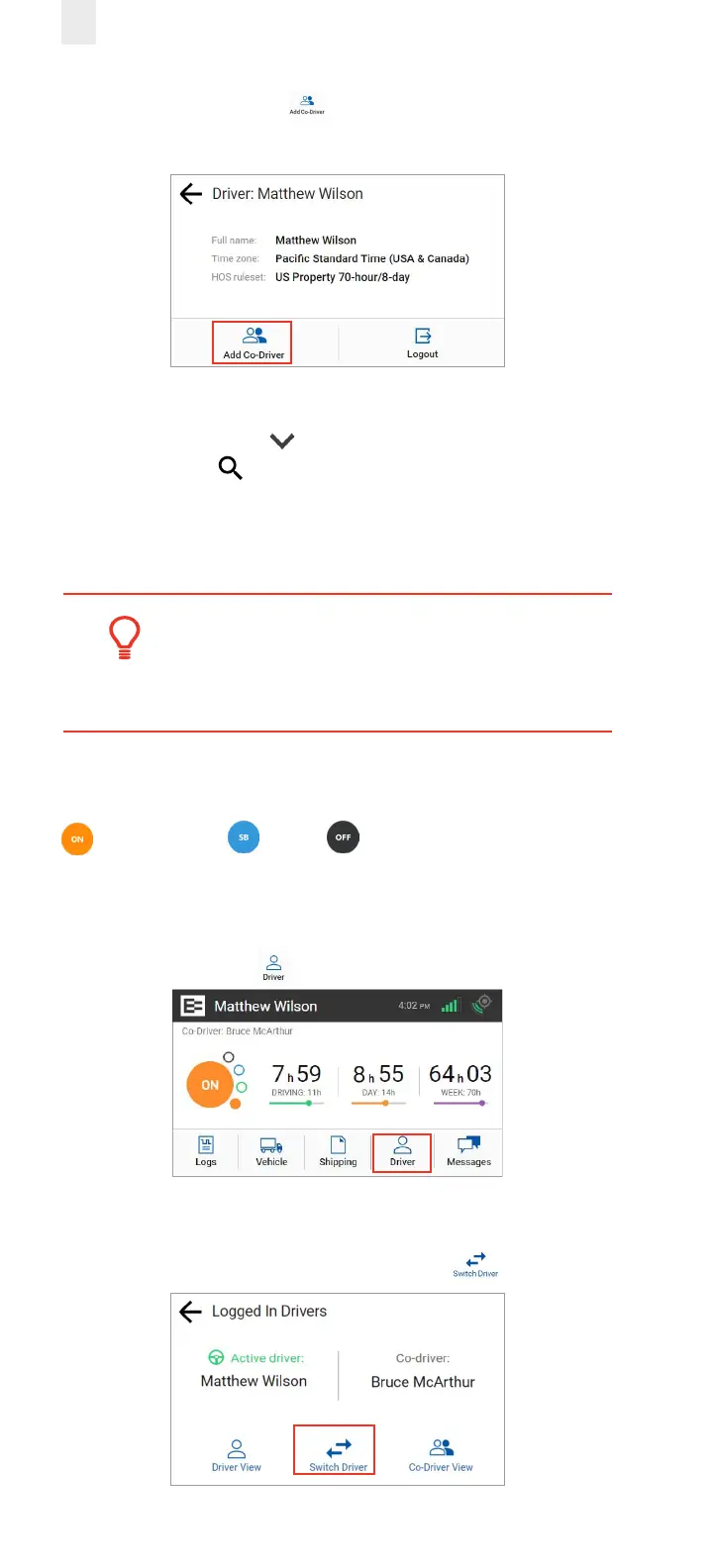
2. Tap the Add Co-Driver icon on the Driver menu. The
Co-Driver Login screen appears.
3. Tap the co-driver’s name.
Note: Tap the Down arrow to see the rest of the list or
tap the Search icon to find your name.
4. Co-Driver, enter your four-digit PIN number.
See section 2.1, Logging in to the EROAD ELD for more
information about the login screens.
Tip:
Driving time is applied to the active driver if the
co-driver does not login.
3.3 Changing Drivers
The Active Driver must change his duty status to ON Duty
, Sleeper Berth or OFF before changing drivers
on the EROAD ELD, when a co-driver is present. Perform
the following steps before the vehicle is in motion when you
change drivers.
1. Tap the Driver icon on the Home menu.
2. The Logged In Drivers screen displays the Active Driver’s
name on the left side and the Co-Driver’s name on the right
side of the screen. Tap the Switch Driver icon.



 To Next Page