43
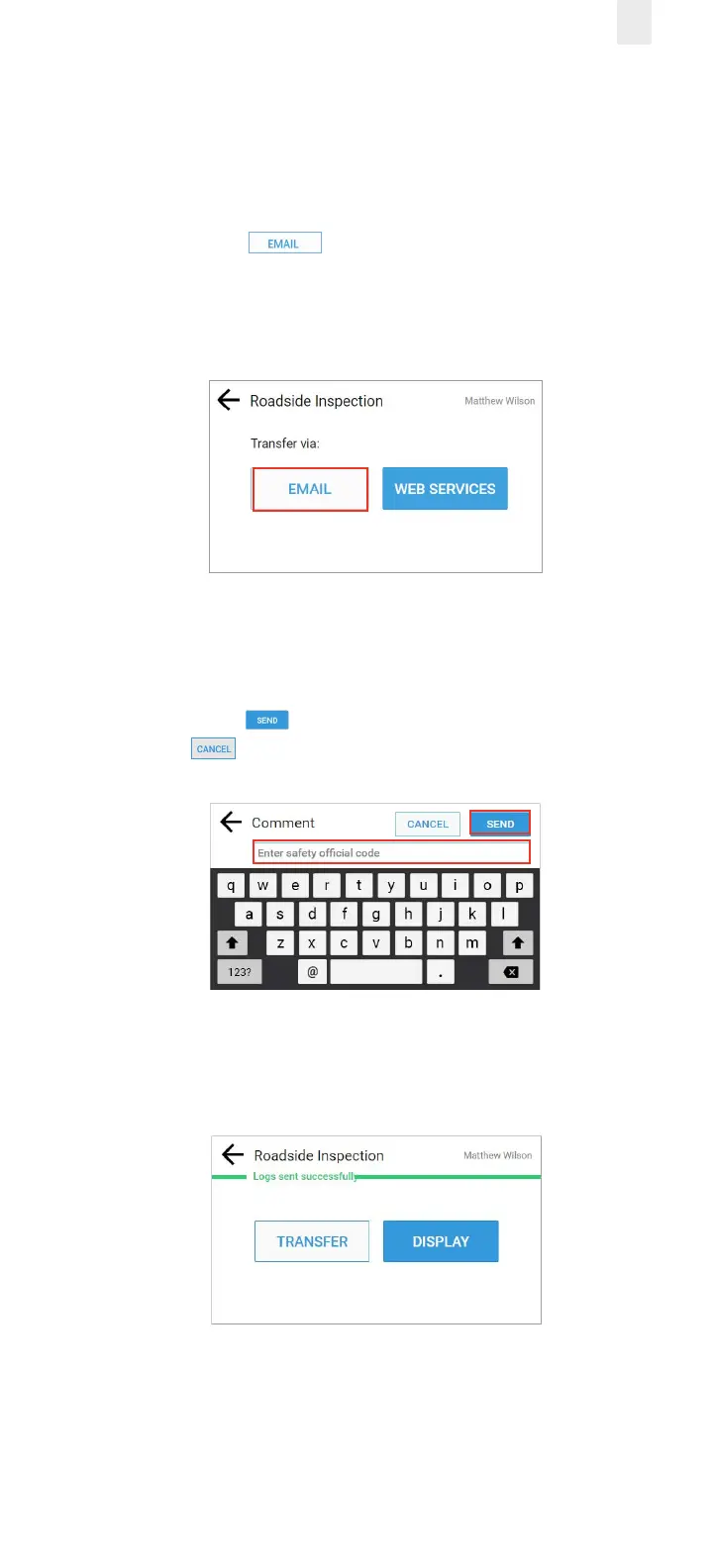
5.1.1 Transfer Via Email
Perform the following steps to transfer records via the email
option.
1. Perform the steps in section 5.1, Transferring your Record
2. Tap the Email button. The Comment screen
appears. The FMCSA destination email address is
preprogrammed in the ELD.
3. Enter the safety ocial’s code in the Comment field.
Note: Never enter an email address or the transfer will not
work.
4. Tap the Send button to complete the email or tap the
Cancel button.
A confirmation message appears (shown in green)
indicating the file was transferred successfully.



 To Next Page