15
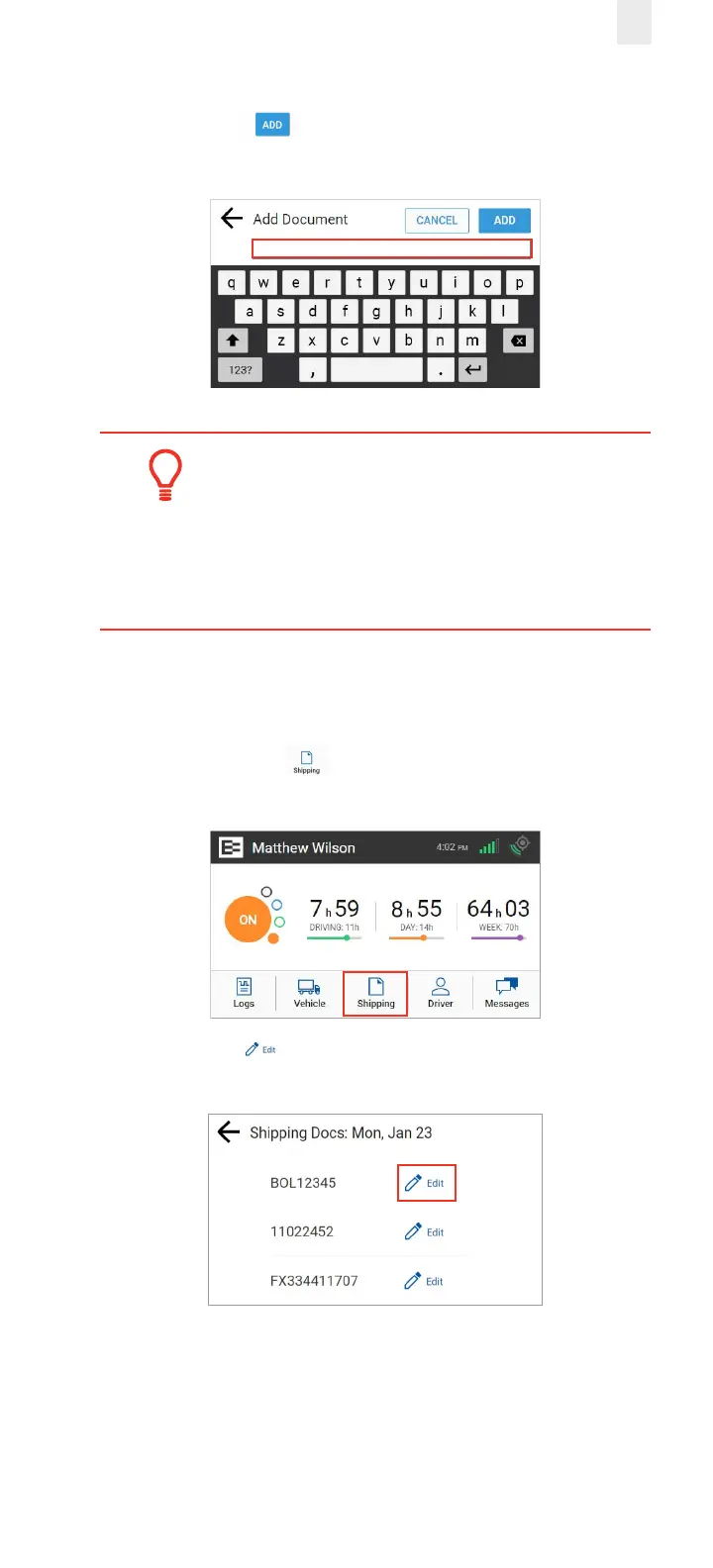
3. Enter the document ID in the Add Document field.
4. Tap the Add button. A confirmation message
appears to confirm the update.
Tip:
Use the Remarks feature if you want to enter a
shipping document on a prior day. You can add a
remark to the first ON duty status to include the
shipping number. See section 3.7.1 for details.
2.8.2 Deleting a Shipping Document
Perform the following steps to delete a shipping document.
1. Tap the Shipping icon on the Home menu. The
Shipping Docs screen appears.
2. Tap the Edit icon beside the document number that
you want to delete.



 To Next Page