18
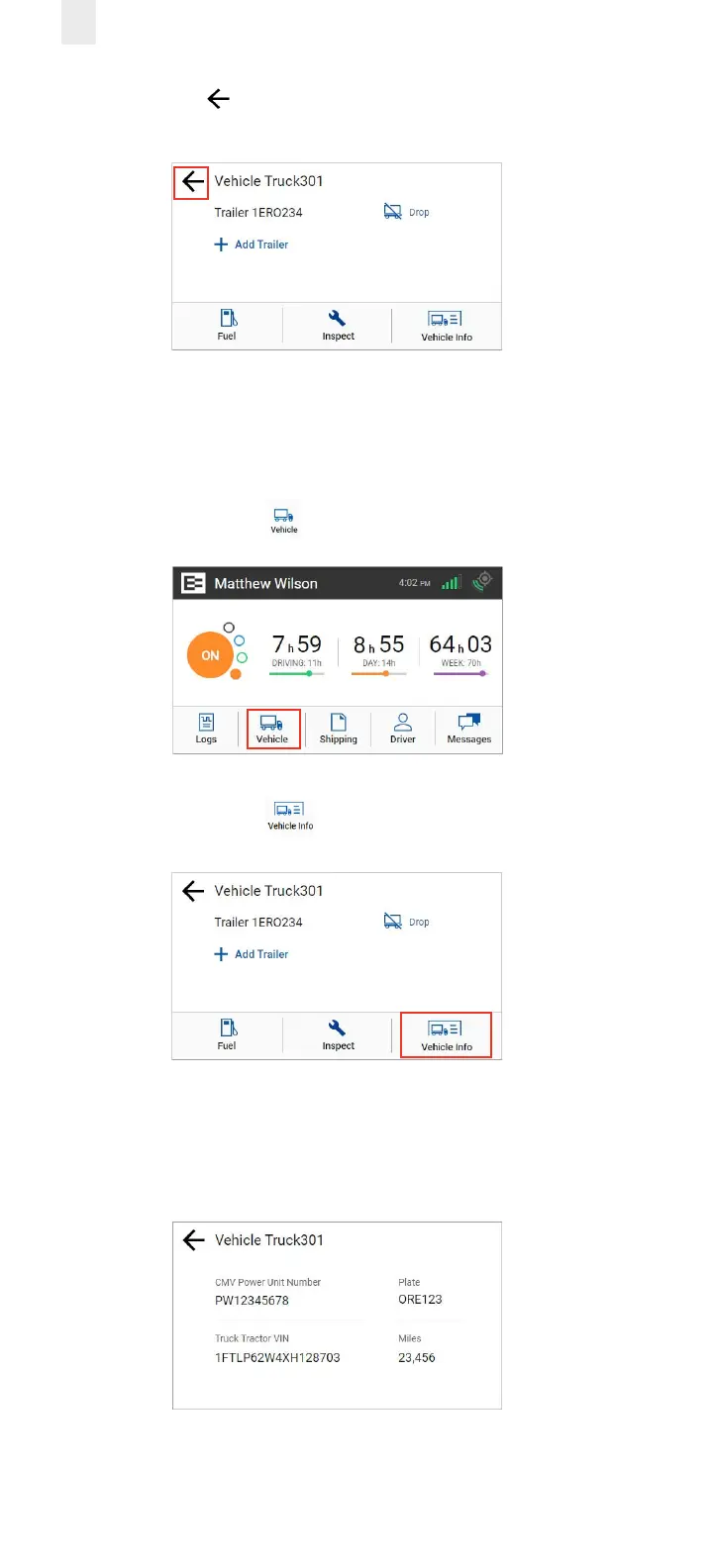
5. Tap the Back arrow to return to the Home screen.
2.11 VIEWING VEHICLE INFORMATION
Perform the following steps to view vehicle information.
1. Tap the Vehicle icon on the Home menu.
2. Tap the Vehicle Info icon on the Vehicle screen.
3. This screen includes the CMV Power Unit Number, Plate
number, Truck Tractor VIN, and number of miles.
Note: Contact your supervisor if the power unit number, VIN, or
license number does not match your vehicle.



 To Next Page