35
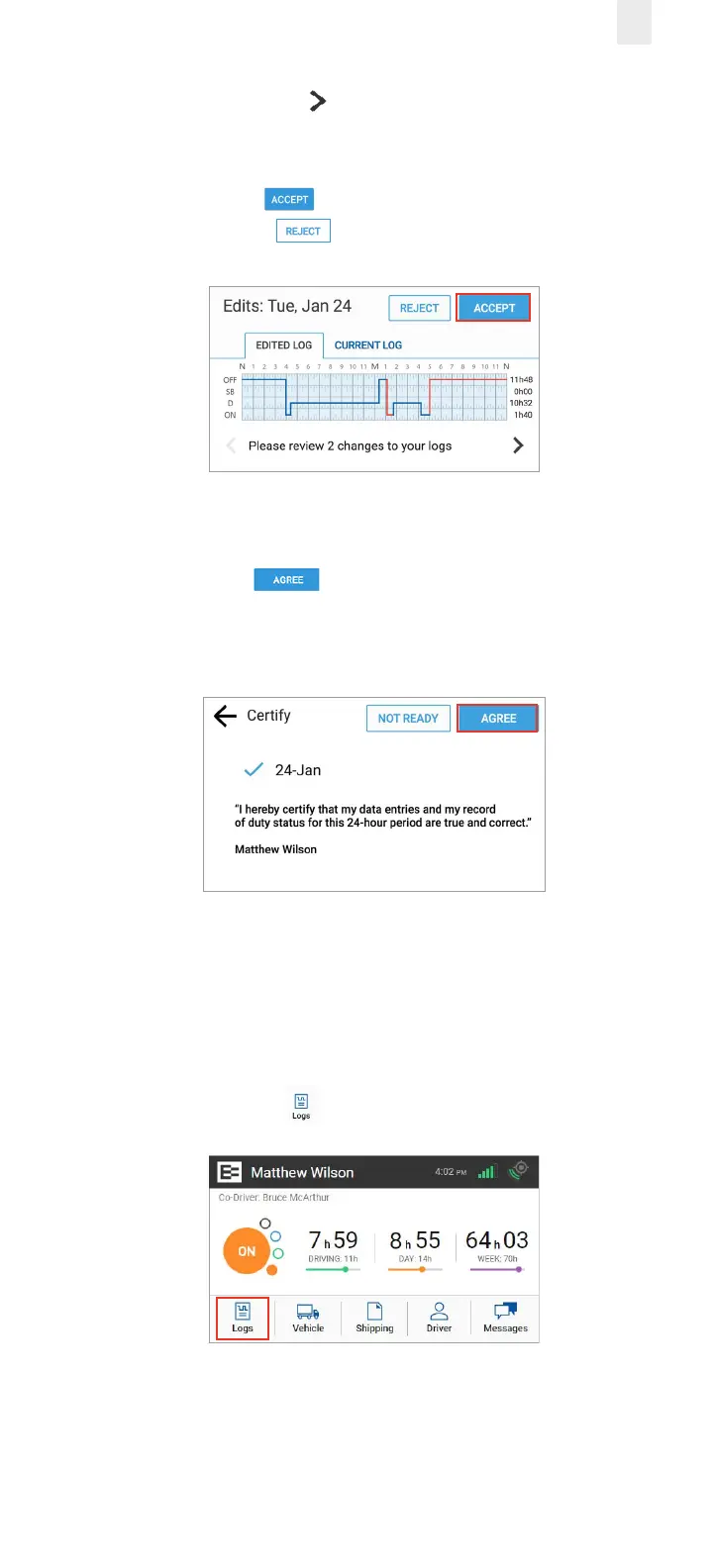
4. Tap the Right Arrow to see additional changes in the
logs.
5. Tap the Accept button if you agree with the change
or tap the Reject button. A confirmation message
appears when completed.
The Certify screen appears, because you must re-certify the
day for the changes that you just accepted.
6. Tap the Agree button to re-certify the day. The
EROAD ELD then synchronizes with Depot. You are
prompted to review the next day, if there are other edited
days.
4.2 SWAPPING DRIVING TIME
The driver and co-driver are responsible for setting status
changes. The EROAD ELD lets the co-driver swap driving time
on a portion of the log if the active driver forgot to change
driving status. The co-driver performs the following steps to
swap driving time.
1. Tap the Logs icon on the Home screen.



 To Next Page