40
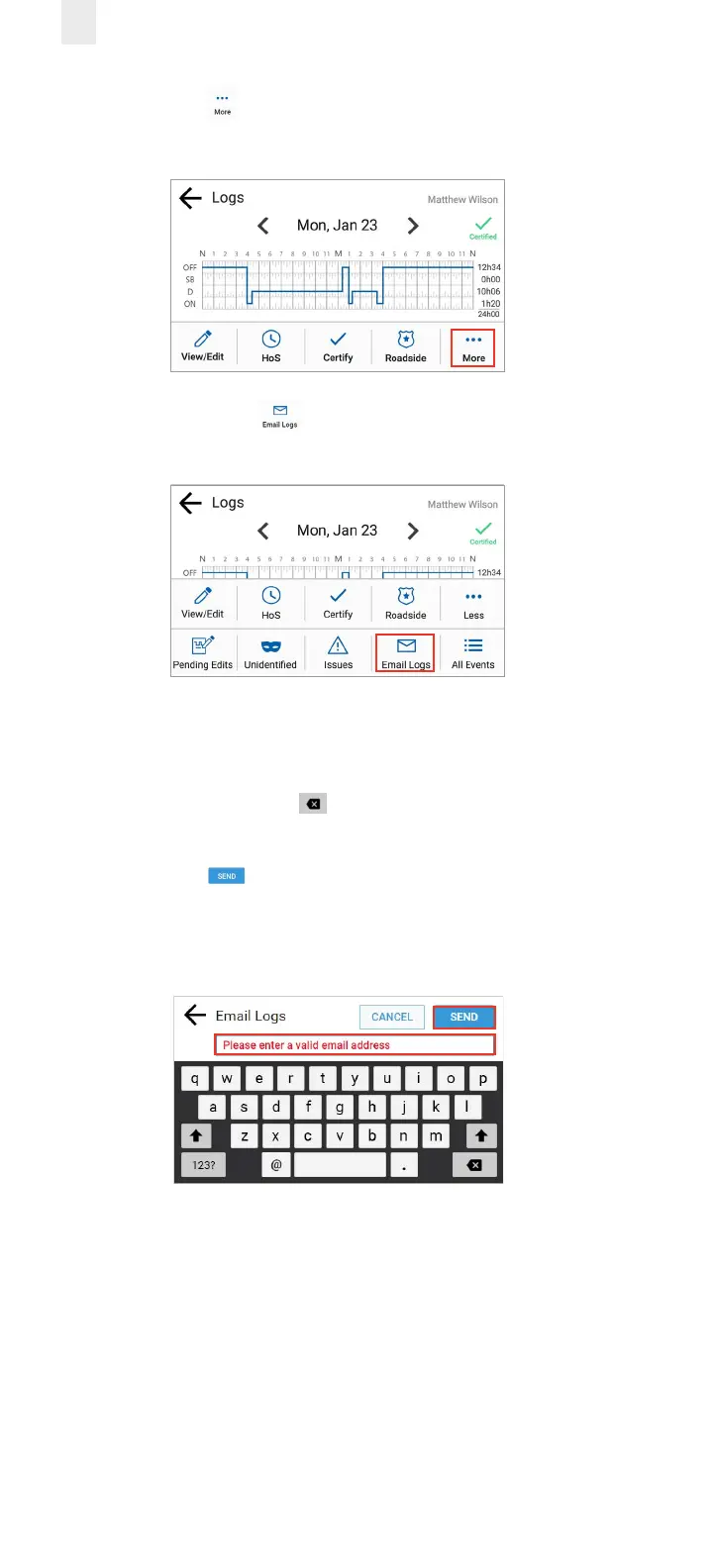
2. Tap the More icon on the Logs screen. The Logs menu
expands to reveal additional menu options.
3. Tap the Email Logs icon. The Email Logs screen
appears.
4. Enter your email address in the Email Logs field.
Note: This field is pre-populated if your supervisor added an
email address to your Driver Profile in Depot. You can press
and hold the Backspace key to erase the entire field if
you want to enter a dierent email address.
5. Tap the Send button to complete this action. A
confirmation message displays the email address where the
logs were sent.



 To Next Page