IP Server 900 Programming Manual Function 7: Reports
J.7
7. The eight-digit end date for this report is composed of two digits for the month, two digits for the day, and
four digits for the year. The end date should be no earlier than the start date. Enter the end date in
MMDDYYYY format, and press #.
ENTER END DATE
8. To print the report, press 1 and then #.
PRESS 1 TO PRINT
REPORT
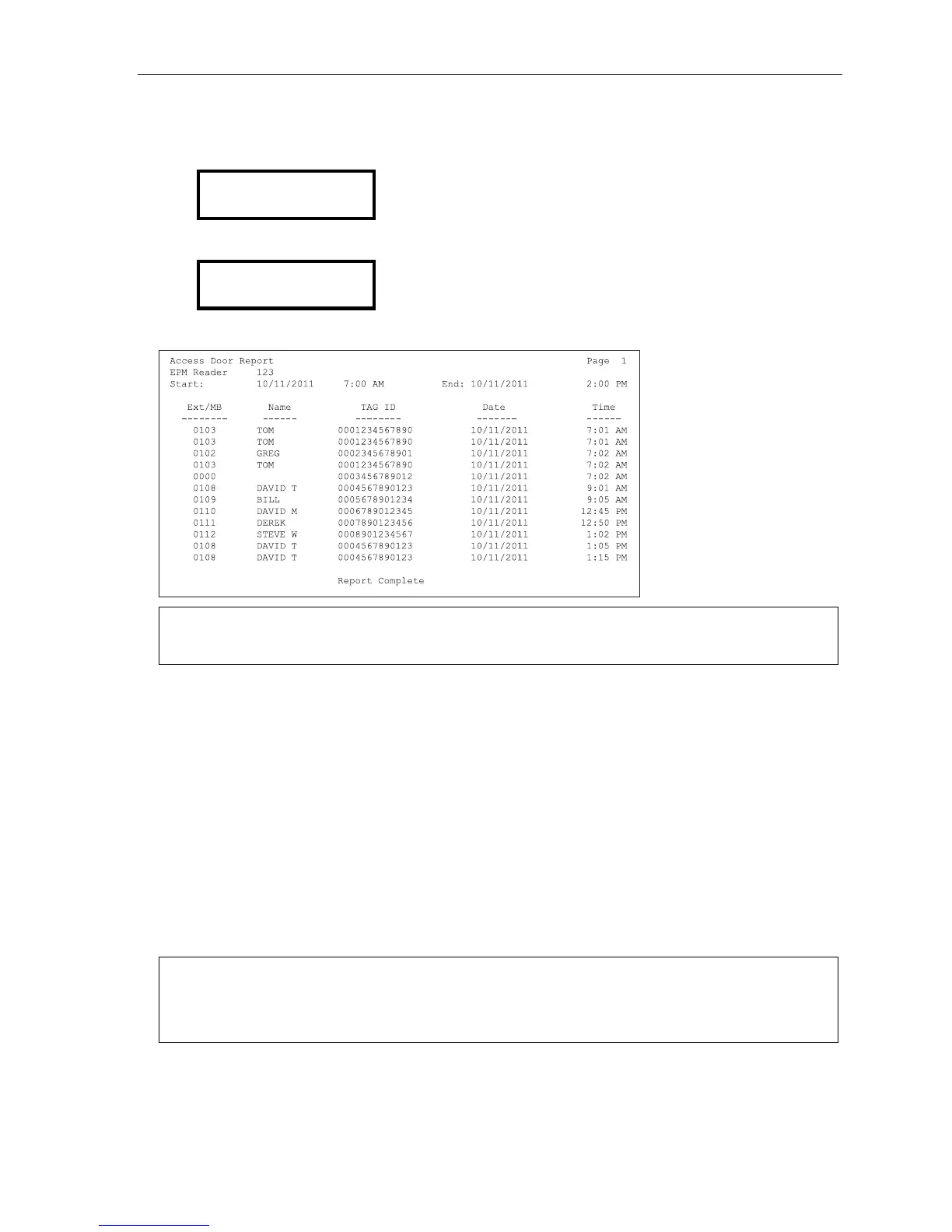
Here’s an example of an access door report for an RFID Reader:
Notes: Extensions and mailboxes are reported as four digits each, regardless of your numbering plan selection.
Each RFID tag that hasn’t been assigned an extension or mailbox is reported as 0000.
Function 73: ACD department statistics report
The ACD department detail report provides extension usage by ACD department. This report includes the
following “fixed” information:
• All ACD departments will be included.
• The current report’s start date and time will be the previous report’s end date and time.
• The current report’s end date and time will be the current date and time.
Function 73 offers two choices:
1. Current report (“Press 1 to print the current ACD report”) — Outputs the current ACD department report.
All information is automatically copied to the previous report (see next choice) and cleared from the
current report.
2. Previous report (“Press 2 to repeat the previous ACD report”) — Re-sends the last report printed.
Notes: After the current report is requested, it will be stored indefinitely (as the “previous” report) until the next
“current” report is selected.
The optional VIP 7 ACD Supervisor provides greatly enhanced ACD reporting capabilities. See the VIP 7
Product Overview (ESI # 0450-1340).



 To Next Page