ES415.1 - User’s Guide38
Getting Started ETAS
Preparing the Modules
To position the modules:
1. Position the modules to be connected in the
required order.
2. Position the modules so that their fronts are in a
line.
3. Hold the two modules together firmly on their outer
sides.
Connecting the Modules
To connect several ES400 modules, you require a 2 mm Allen key (minimum
length 20 mm).
To connect the modules:
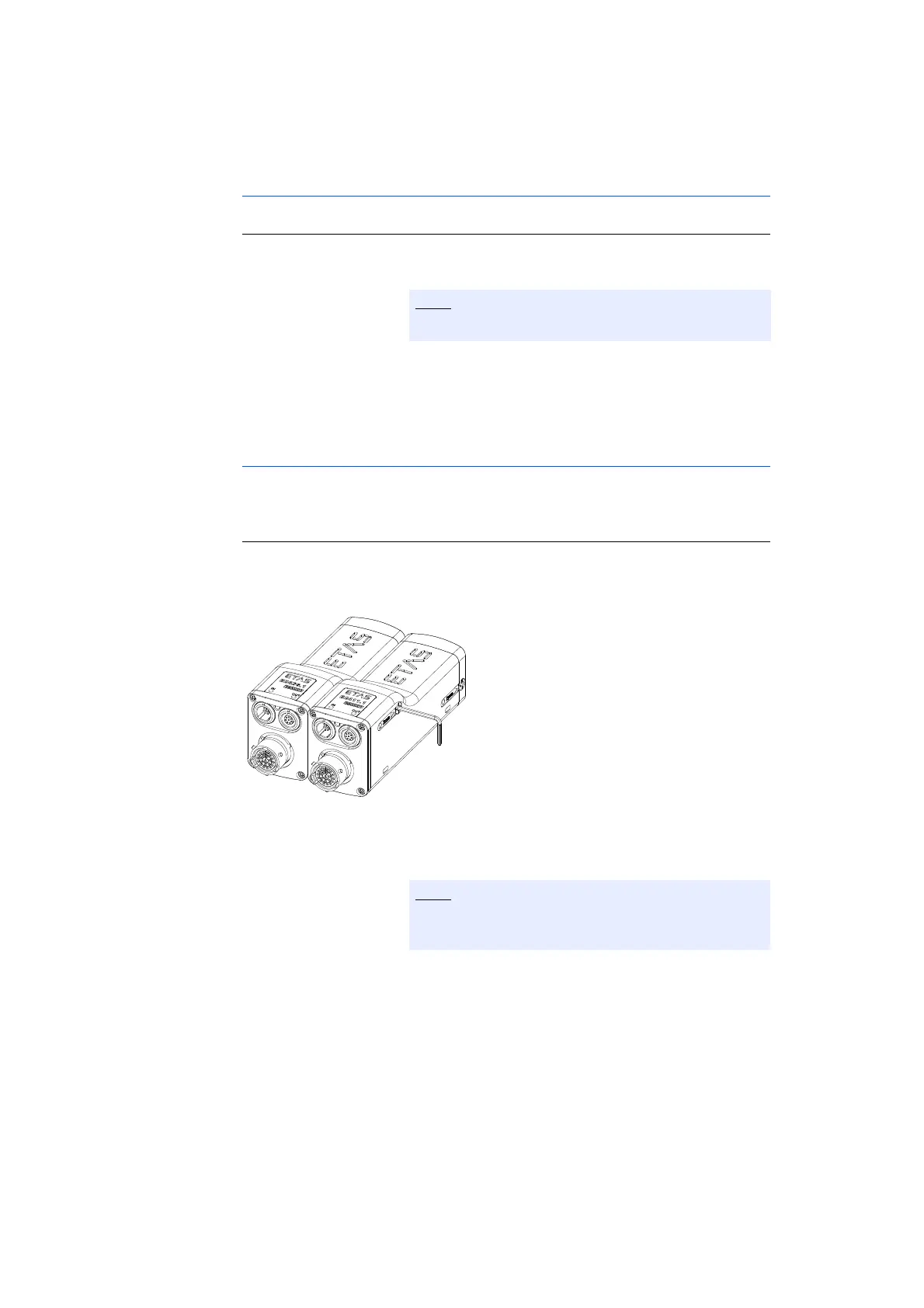
1. Insert the Allen key into a hexagon socket on the
right-hand side of the right-hand module.
Fig. 5-6 Connected ES400 Modules
2. Screw the two modules by turning the Allen key
clockwise as far as it will go within the module.
Both modules are now connected mechanically on
one side.
3. Insert the Allen key into the other hexagon socket
of the right-hand module.
Both modules’ ports must point left.
Screw the two modules together without getting
them off-thread!


 To Next Page