ES415.1 - User’s Guide68
ETAS
• Outgoing TCP/IP connections to the network configured for the ETAS
application, destination ports 18001 to 18020
In Windows 7, 8.1 and 10, a Personal Firewall program is part of the scope of
delivery and enabled by default. On many other systems, similar programs from
independent providers can frequently be found, such as Symantec, McAfee or
BlackIce. The procedure for the configuration of ports may differ in the various
programs. More detailed information can be found in the user documentation of
your firewall program.
Below is a sample description about how to configure the Windows firewall if
the hardware access is being blocked.
Solution for Windows Firewall, user with administrator rights
Enabling ETAS products in the firewall control:
1. Open the Control Panel:
– Windows 7, 10:
1.1 Click on the Windows symbol.
1.2 Click on Control Panel.
– Windows 8.1:
1.1 Click on the Windows symbol.
1.2 Enter Control Panel in the entry field.
1.3 Push <E
NTER>.
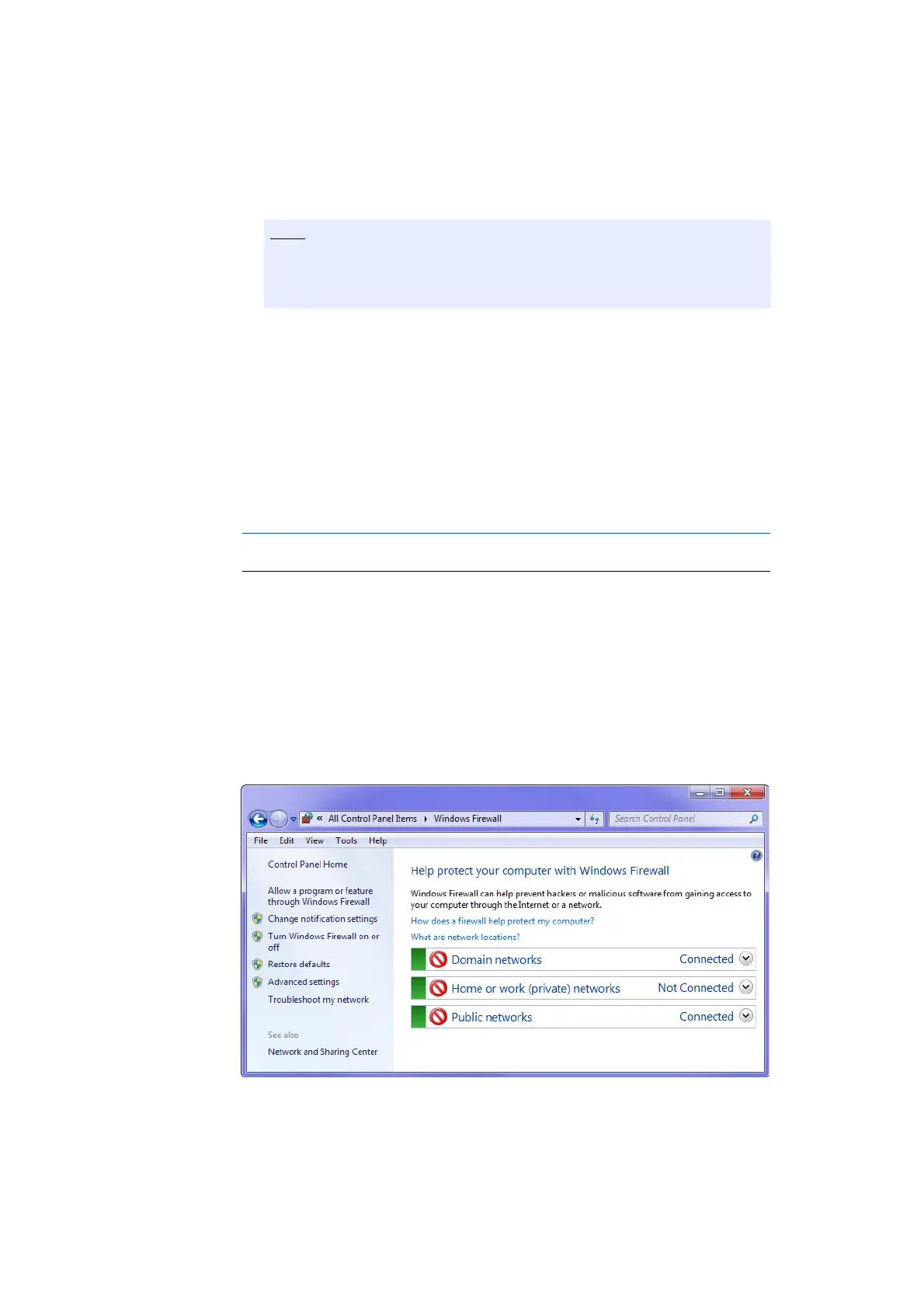
2. Click on Windows Firewall (Win 7, 8.1) or Win-
dows Defender Firewall (Win 10).
The ports to be used in a specific case depend on the hardware used. For
more detailed information about the port numbers to be used, see the
respective hardware documentation.



 To Next Page