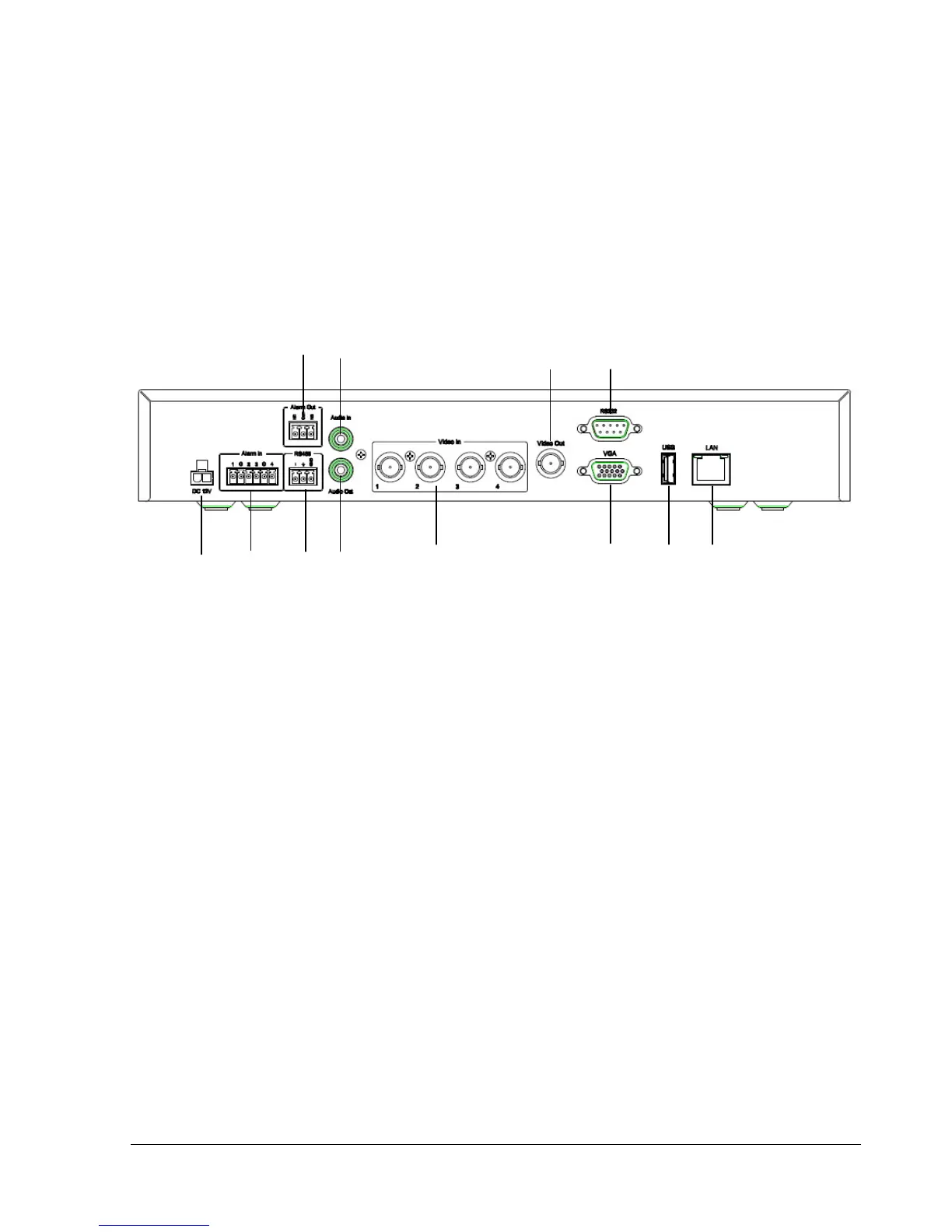
1.5 Back Panel
During initial setup you will be connecting your DVR to multiple input and output devices. This is done
through the back panel.
1. Power
Plug the DC 12V power source into the power socket.
2. Alarm In
Connect up to 4 / 8 alarm inputs, selectable between dry contact or TTL/CMOS signal polarity.
3. RS485
Terminal Connector for RS485 control.
4. Alarm Out
N.C or N.O type alarm signal out.
5. Audio Output
Connect a speaker or other audio listening devices to the audio output connection on the back of the digital
video recorder.
6. Audio Input
Connect a microphone or camera audio output to the audio input connection.















 To Next Page