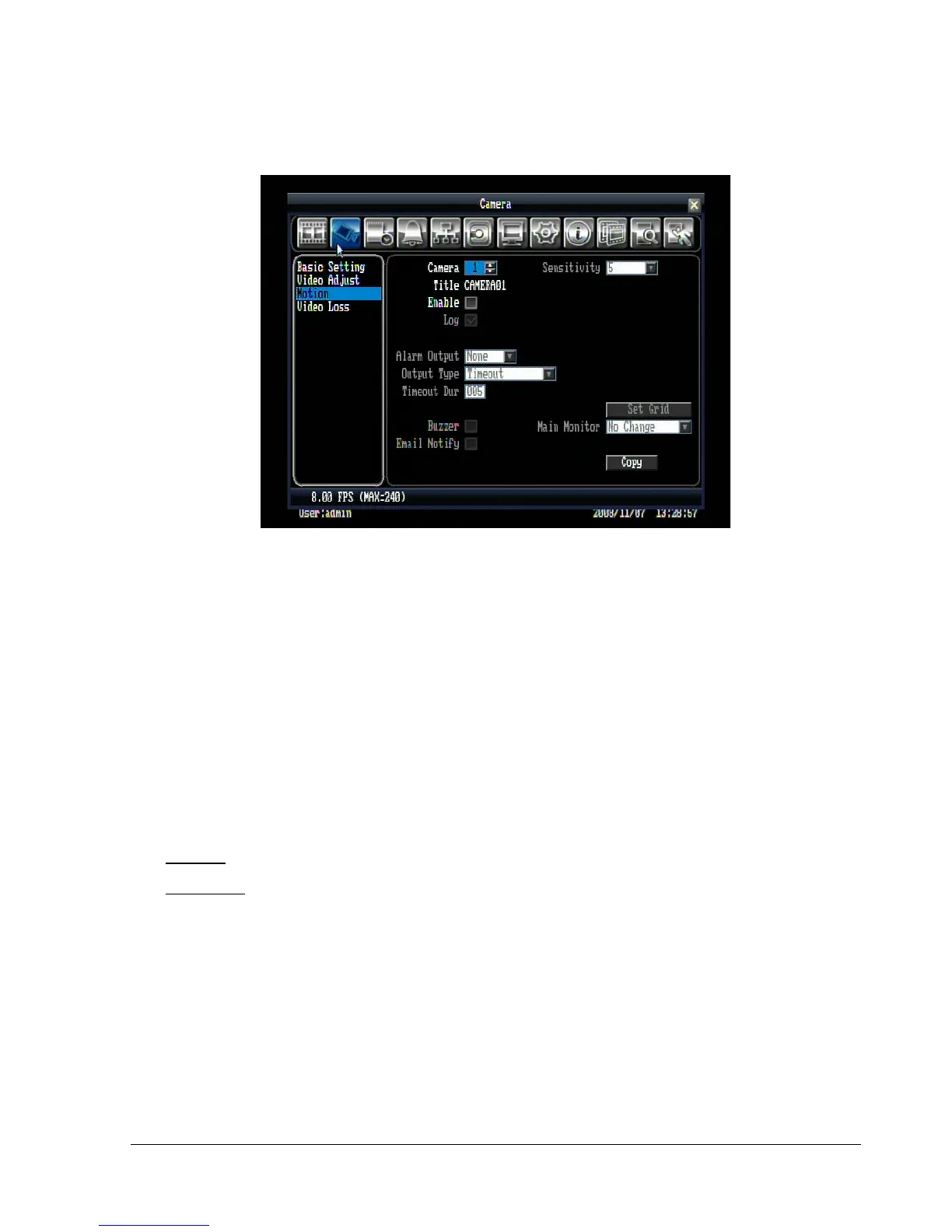
5.3.3 Motion
Figure 5.6 (Camera Menu – Motion)
Camera: Select the camera you wish to adjust. “Title” will change to the title name of the selected camera.
Enable: Check box to enable motion detection. Other motion options will not be available unless this
feature is selected.
Log: Check box to record motion events in the log.
Sensitivity: Allows users to adjust motion detection sensitivity. Level 10 is the lowest setting, and level 1 is
the highest. The default is level 5.
Alarm output: This will transmit a signal to another device. It can be set to either “NONE” (not activated) or
“1” (output signal 1 transmits).
Output Type: Output action when alarm is triggered.
Timeout: Alarm output lasts for the set time duration.
Permanent: Alarm will remain on until user presses “Live” key on front panel.
Timeout Dur: Time duration selectable from 0 to 150 seconds.
Buzzer: Check box to enable buzzer when a motion event is detected.
Email Notify: Check box to send email notification function when a motion event is detected.















 To Next Page