User name: Input the login user name if the SMTP server requires authentication.
Password: Input the password if the SMTP server requires authentication.
Sender Email: Input sender’s e-mail address.
Receiver Email 1: Input the first e-mail address that event messages are sent to.
Receiver Email 2: Input the second e-mail address that event messages are sent to.
Receiver Email 3: Input the third e-mail address that event messages are sent to.
Email Subject: Input email subject.
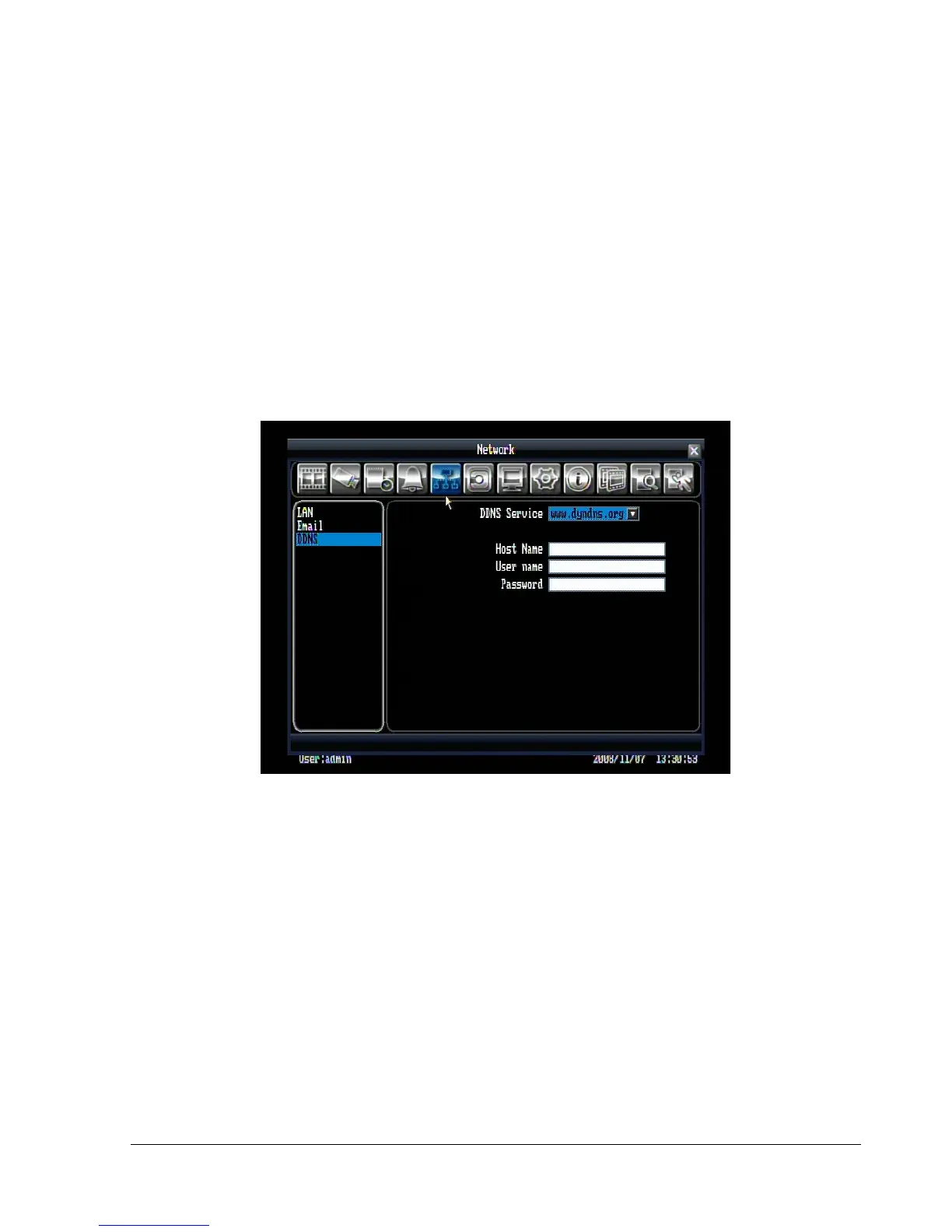
5.6.3 DDNS
Figure 5.19 (Network Menu – DDNS)
DDNS Server: Select either “EverfocusDDNS” or “www.dyndns.org” as the DDNS provider. If DDNS will
not be used, simply select “Disable”.
Host name: Host name of the account (dyndns.org only).
User name: User name of the account (dyndns.org only).
Password: Password of the account (dyndns.org only).
DVR Name: Name you wish to use for the DVR (EverfocusDDNS only).
Click on “Submit/Update” to update the chosen name on the server (EverfocusDDNS only).
Note: For more details on DDNS setup, please see “Chapter 7 - Everfocus DDNS Setup”.















 To Next Page