5.4 Schedule Setting
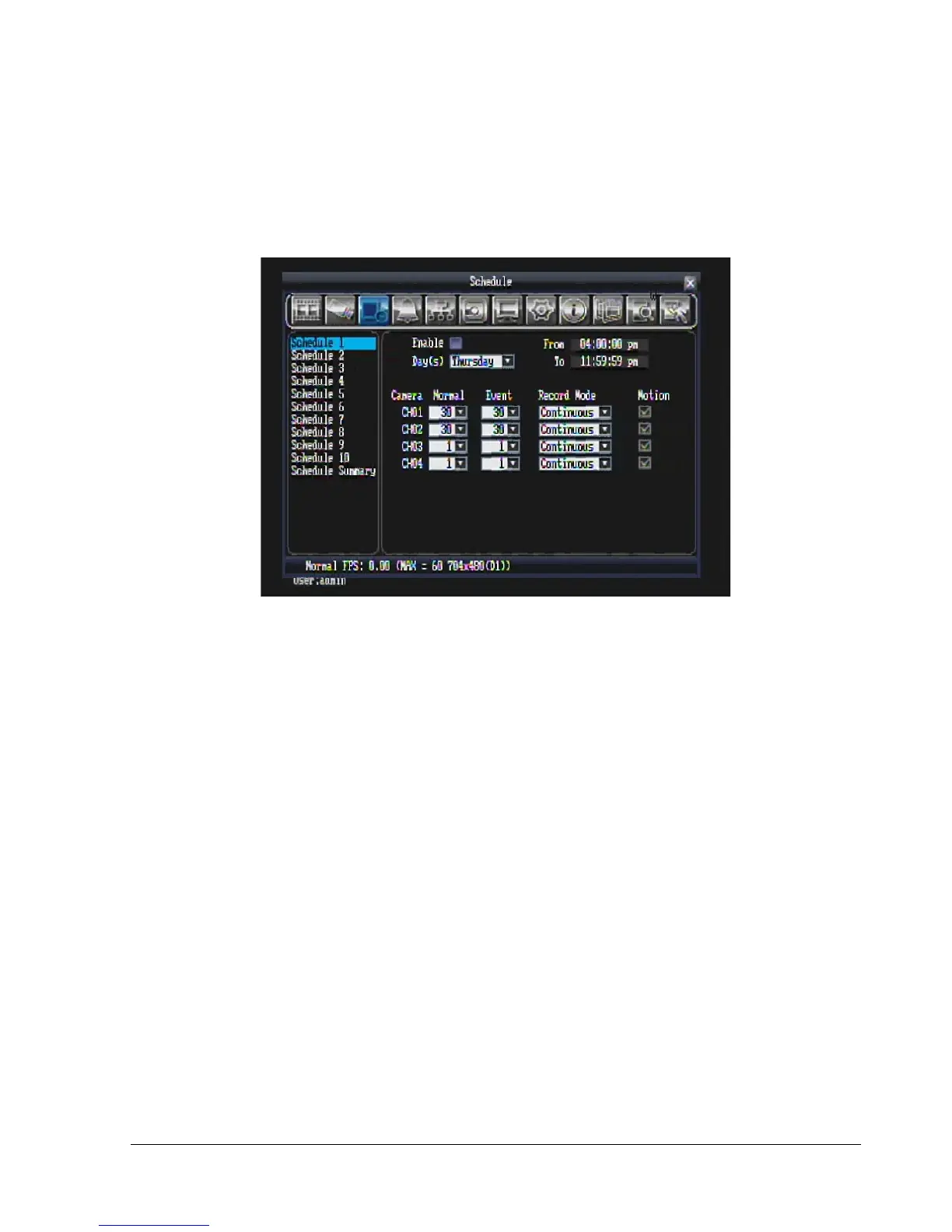
Figure 5.9 is a screen shot of the SCHEDULE SETTING MENU. In this menu you can set a unique timer to
start recording during a specified time period.
Figure 5.9 (Schedule Menu)
First select one of the 10 available schedules from the left.
Enable: Check the box to enable the scheduled time period.
Day(s): This field represents the day of the week you wish to set the timer record for. You may choose
from Monday through Sunday, as well as weekday, weekend, and daily.
Monday, Tuesday, Wednesday, Thursday, Friday, Saturday, Sunday
Weekday: from Monday to Friday.
Weekend: Saturday and Sunday.
Daily: every day of the week.
From: This field is used to set the time you wish to start the timer recording. Click on it to obtain the time
setup menu (Figure 5.10). Click on the arrows to change hour and minute, then click “OK” to confirm or
“Cancel” to quit.
To: This field is used to set the time you wish to stop the timer recording. Click on it to obtain the time
setup menu (Figure 5.10). Click on the arrows to change hour and minute, then click “OK” to confirm or
“Cancel” to quit.















 To Next Page