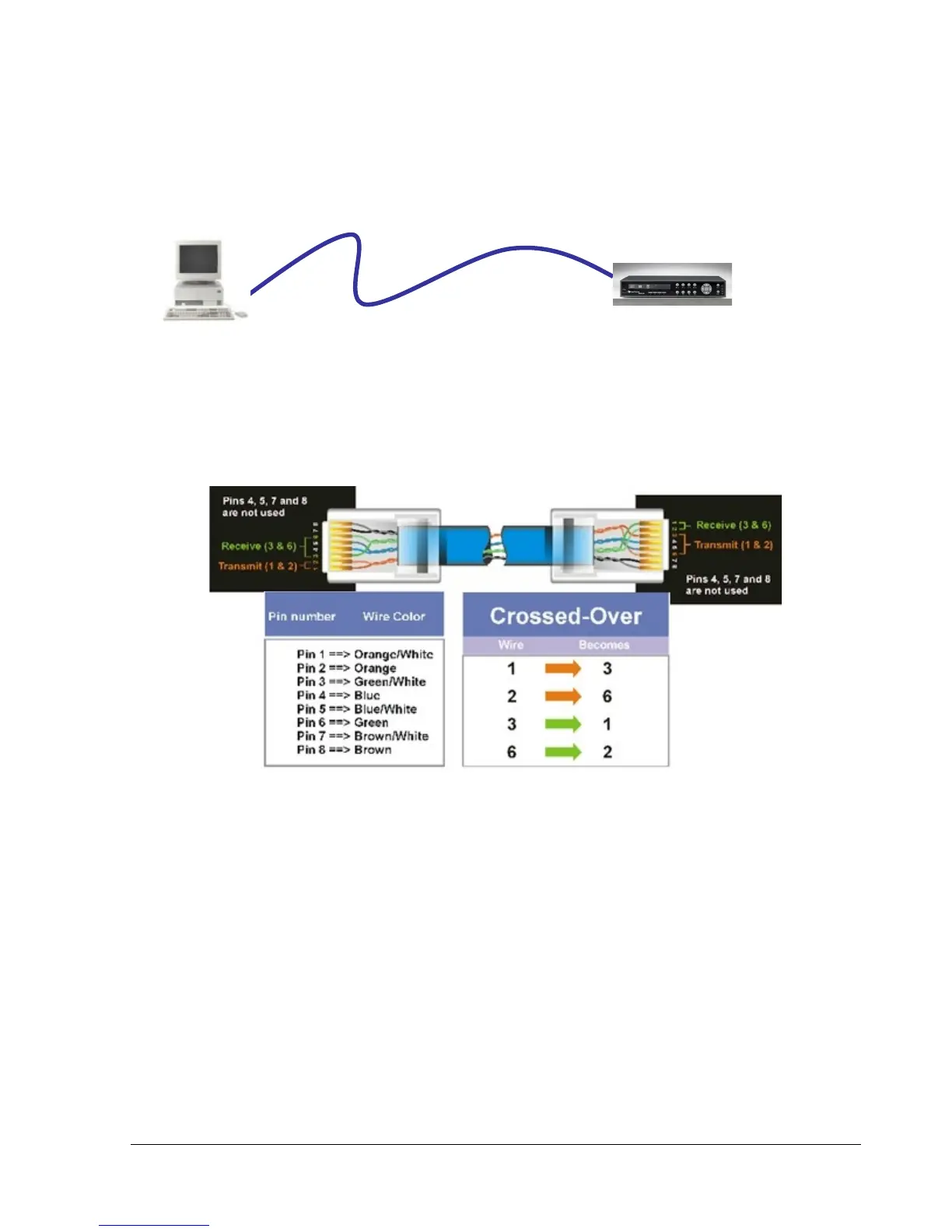
6.7 Simple One to One Connection
Crossover Ethernet Cable Pin outs:
The Figure below shows the pin configurations for a cross-over cable.
Connection Procedure:
The First step is to purchase or make a cross-over cable. We recommend purchasing one if you
have never made a cross-over cable. Please remember you can not use a straight through network
cable for this application
Once you have a cross-over cable plug one end into the LAN port on the back of the DVR and the
other into the network card on the back of the computer.
Log into the EverFocus DVR menu and go to the Network Setting Menu.
You must use the Static IP option for this type of connection.















 To Next Page