5.5 Alarm & Event Setting
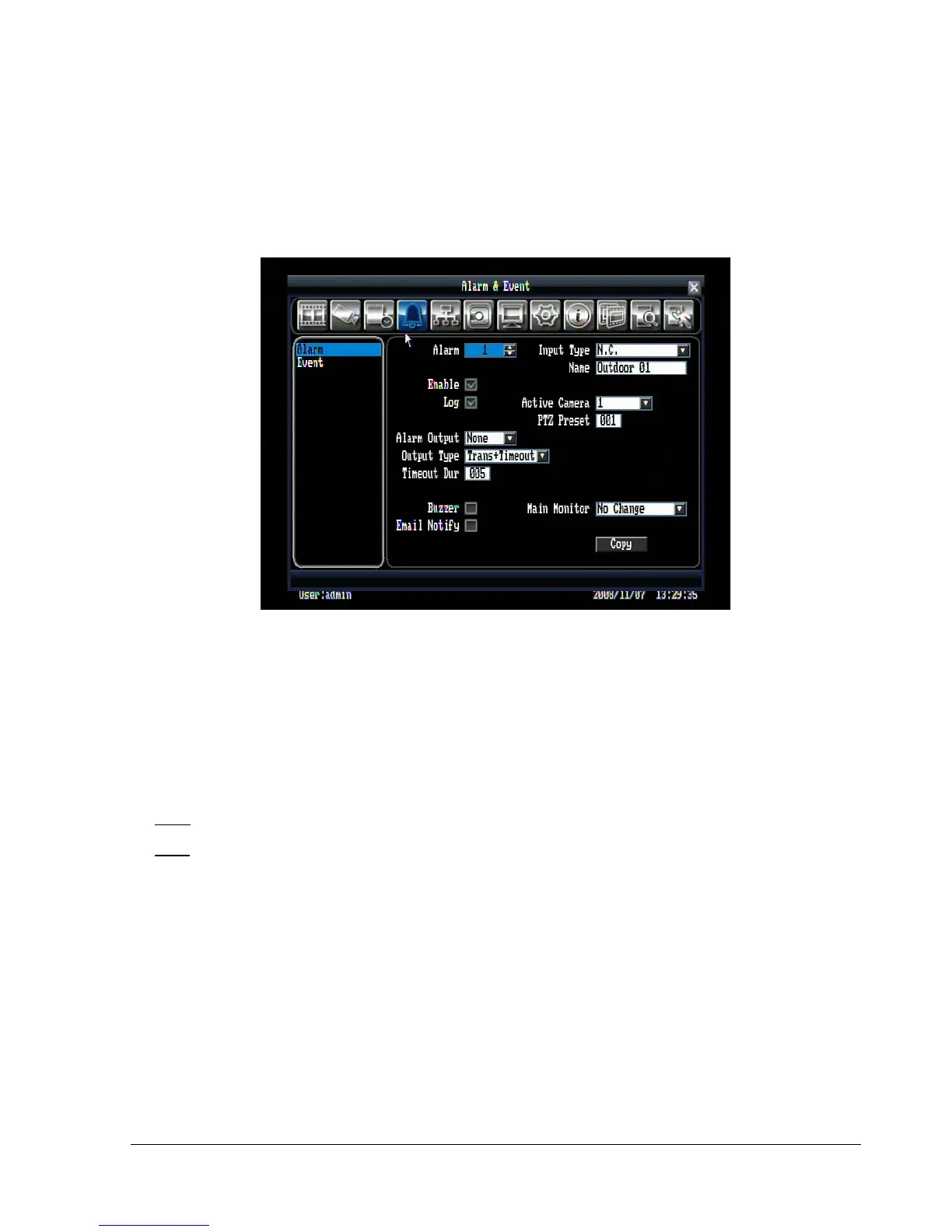
Figure 5.12 is a screen shot of the ALARM & EVENT SETTING MENU. This menu will walk you through
alarm and event setup.
Figure 5.12 (Alarm & Event Menu - Alarm)
5.5.1 Alarm
Alarm: Select the alarm number.
Enable: Check box to enable alarm.
Log: Check box to record alarm events in the log.
Input Type: This field is to change the type of alarm trigger.
N.O.: Normal Open contact.
N.C.: Normal Close contact.
Name: Assign a name for the alarm input.
Active Camera: This field is for assigning the alarm to a specific camera. For example if you had an
external motion detector on camera one you would set this option to “1”.
PTZ Preset: Select PTZ Preset from “0” to “255”. If the Active Camera is a PTZ speed dome, the alarm will
move the camera to a preset position for event recording. This function can improve surveillance quality of
an alarm event.
Alarm Output: This will transmit a signal to another device. It can be set to either “NONE” (not activated)
or “1” (output signal 1 transmits).















 To Next Page