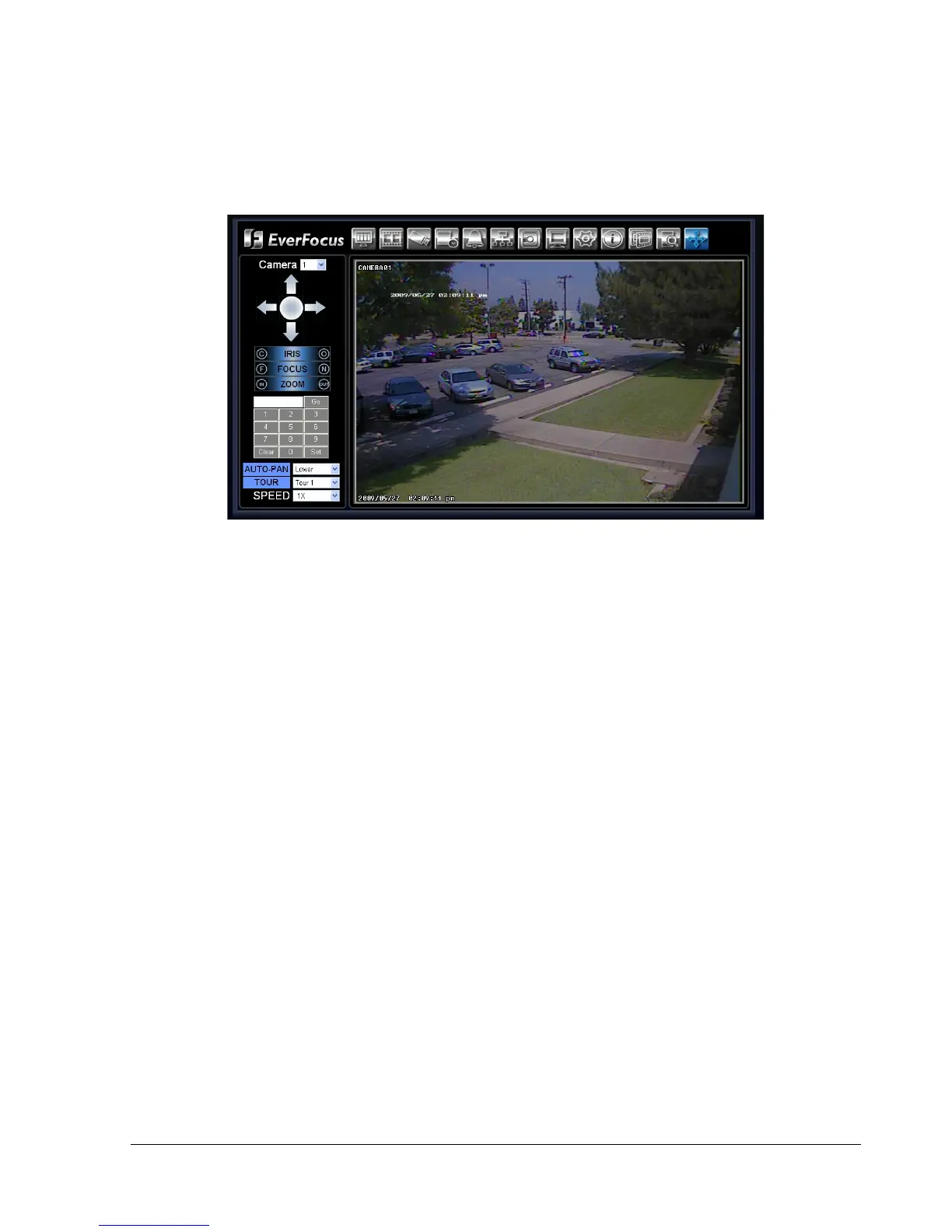
7.4 Remote PTZ Control
1. Select the PTZ camera from drop-down menu.
2. Use Direction Arrows (up, down, left, right) to move the camera to the desired direction and angle.
3. In the Iris option, you can decrease by clicking C the amount of light or increase it by clicking O.
4. In Focus option, click F to decrease the focus or click N to increase the focus.
5. Under Zoom, Click “IN” to zoom closer or “OUT” to zoom farther away.
6. In the keypad section, click on the numbers to input a desired pre-set position.
- Click Set to confirm a position
- Click Clear to delete a position
- Click GO to jump to a position.
7. AUTO-PAN allows you to choose the movement speed used for pre-set positions and tours. Select from
Lower, Low, Middle, High, or Higher.
8. TOUR allows you to select an automatic tour. You can set up to 16 tours.
9. SPEED allows you to select the movement speed when manually controlling the camera. The 4 options
available are 1X, 5X, 10X, and Continuous.















 To Next Page