5.3 Camera Setting
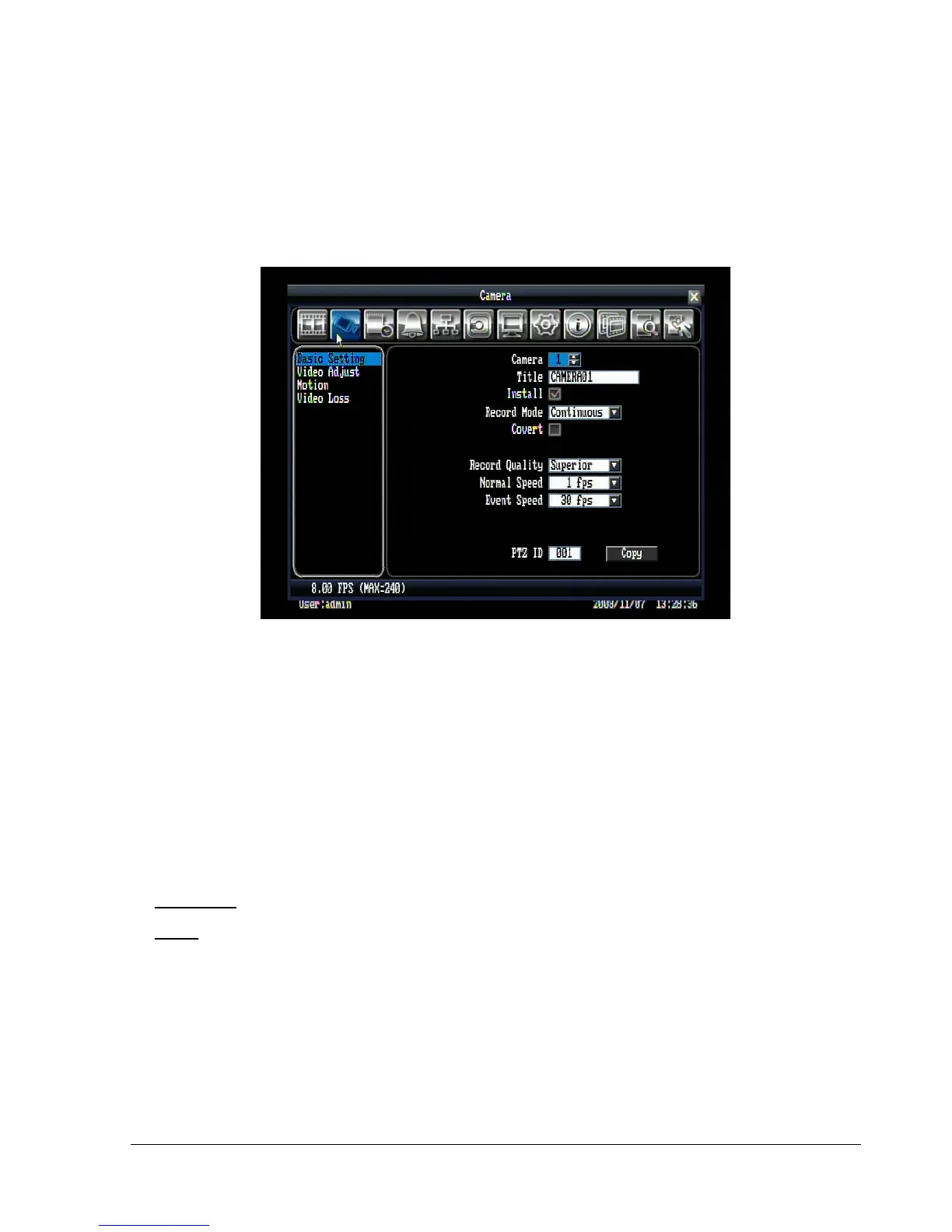
Figure 5.3 is a screen shot of the CAMERA SETTING MENU. This menu is used to configure individual
camera settings.
Figure 5.3 (Camera Menu-Basic Setting)
5.3.1 Basic Setting
Camera: Select the camera number.
Title: The title setting allows you to assign a title to each camera input. Each channel supports a title with
up to 16 characters. The on-screen keyboard will appear when you click the title option.
Install: Check the box to enable the current camera. To take full advantage of the DVR’s recording
abilities, any unused cameras should have this option disabled.
Record Mode: 2 record modes are available to be chosen.
Continuous: Constant recording.
Event: Video will be recorded only when events occur.
Covert: Check the box to hide a channel screen in live and sequence modes. However, the image will still
be recorded and can be played back by any user who has playback rights.
Record Quality: Select an image quality for recording. There are five different qualities available: Superior,
High, Standard, Basic and Low. A higher image quality uses more HDD space.















 To Next Page