2.4 Network Connection
ECOR DVR provides fast MPEG-4 format image transmission and network remote configuration.
ATTENTION: A monitor is required for initial network configuration. For more information about
network setup, please refer to Chapter 7.
Physically, two basic types of connection are possible:
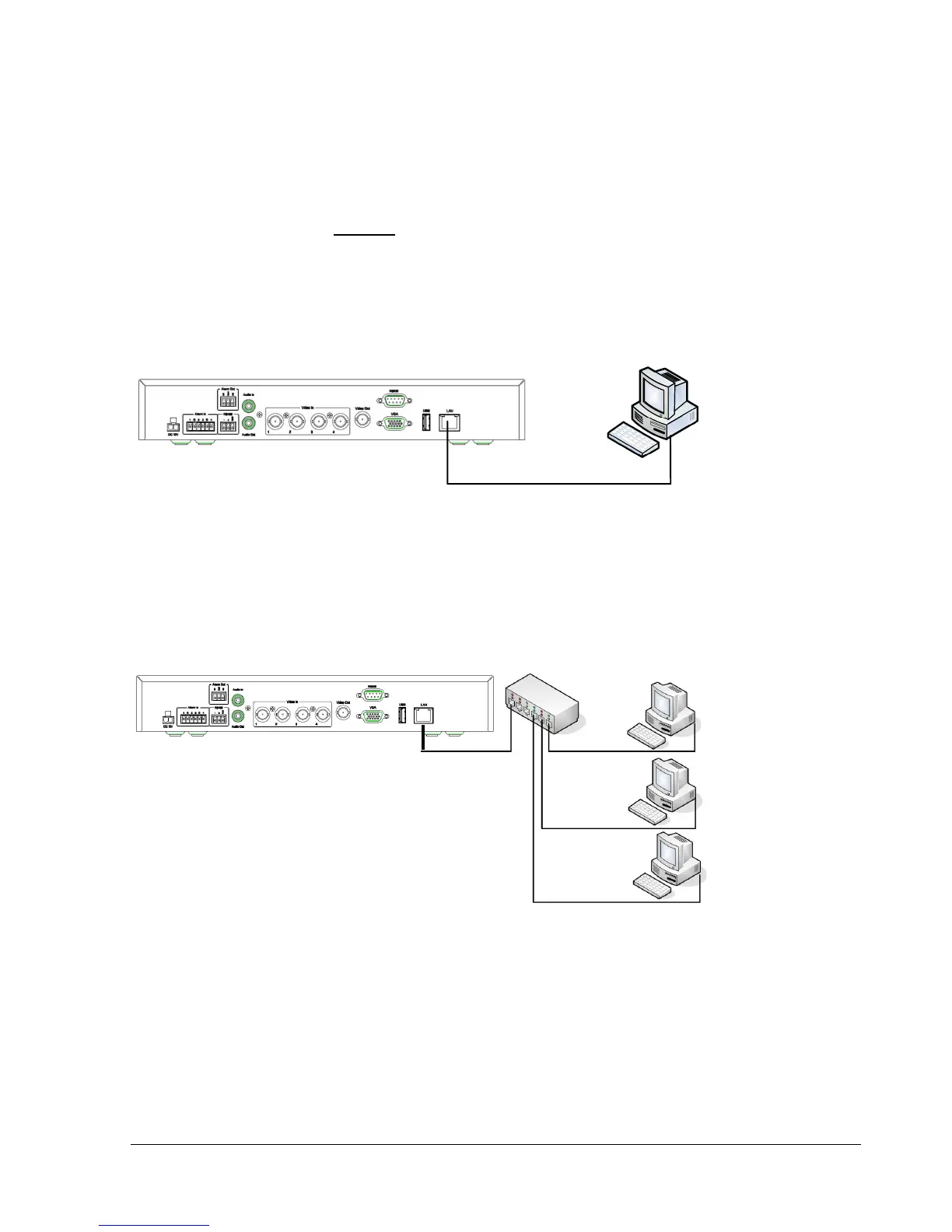
2.4.1 Direct PC Connection through Crossover Network Cable
Figure 2.1
The point-to-point connection of DVR and PC requires a crossover (crossed) network cable. This type of
connection is ONLY used for direct connection to a single PC.
Make sure that the PC is equipped with a 10/100/1000 Mb compatible network connection.
2.4.2 Network Connection through Patch Cable
Figure 2.2
The connection to an existing network requires a normal patch cable (straight-through). The illustration
shows the connection to a network switch, router, or modem.















 To Next Page