8 EverFocus DDNS Setup
Setup Steps:
Step 1. Set up the Network Menu according to the instructions detailed in the Networking chapter.
(Make sure that DNS Server 1 is set correctly or DDNS will not work)
Step 2. Go to the website http://everfocusddns.com and check for an available name.
Note: This step is optional, as it is only used to check the availability of host name. If
the name is available, proceed to step 3 for DDNS setup.
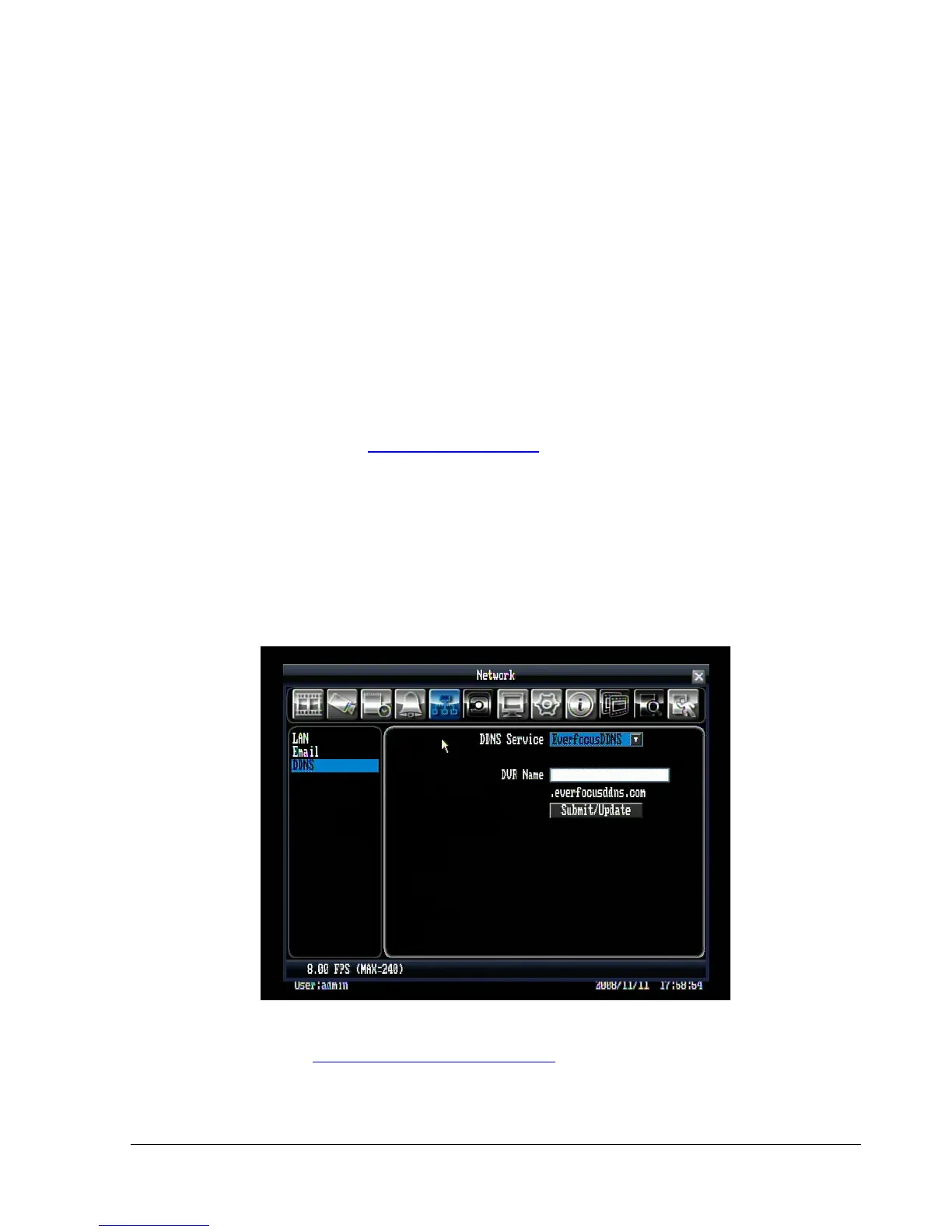
Step 3. In DVR’s Network Menu, go to DDNS. Choose “EverfocusDDNS” for the Server and put in
your chosen name for DVR Name.
Step 4. Press “Submit/Update” button to confirm.
Step 5. You should now be able to connect by typing the host name you created in browser.
Example: http://hostname.everfocusddns.com















 To Next Page