4.7 Copy
To bring up Copy menu:
By mouse: Right-click to bring up the menu bar and click on to enter Copy Setup Menu.
By front panel: Press key to enter Copy Setup Menu.
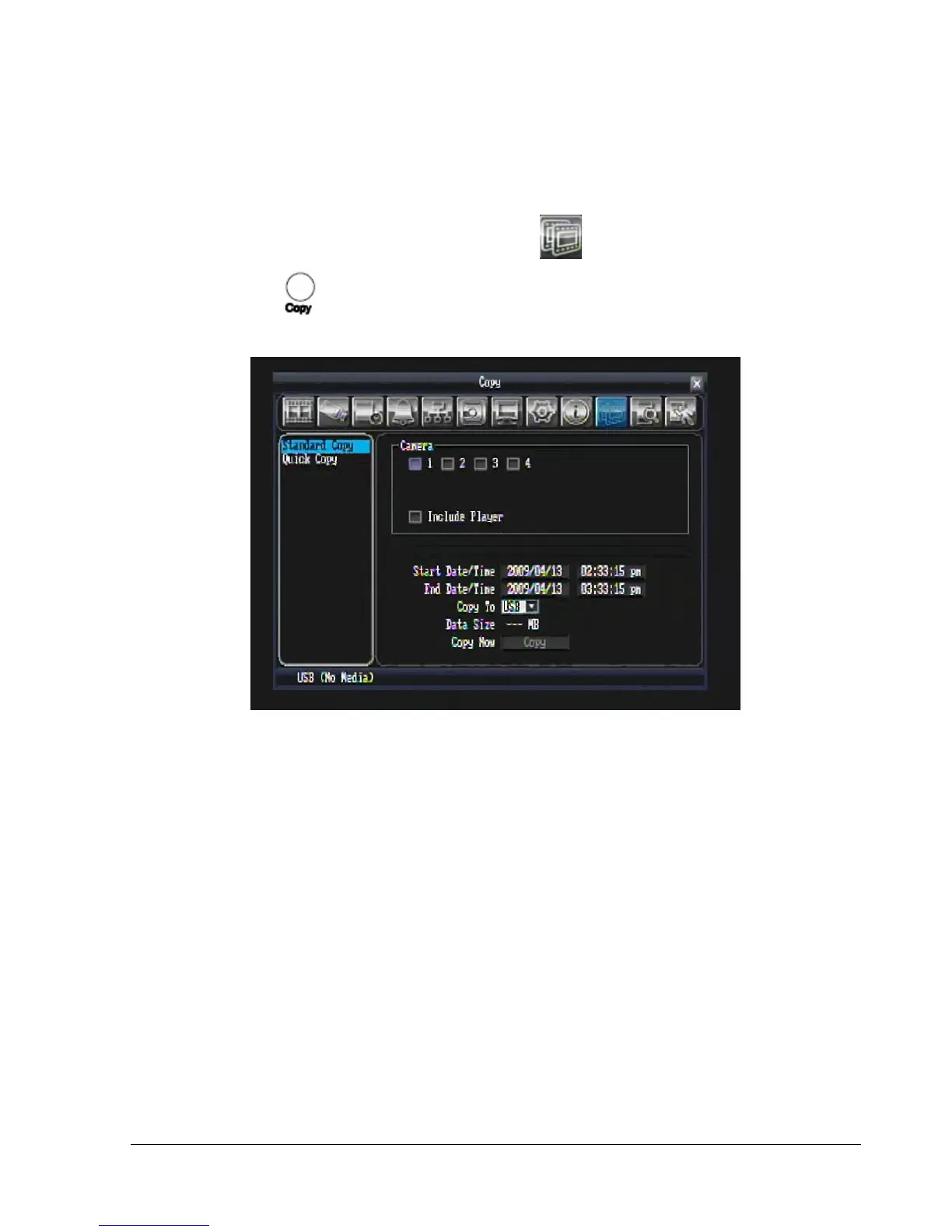
Figure 4.4 (Copy Menu – Standard Copy)
4.7.1 Standard Copy
Camera: Select which cameras will be copied.
Include Player: Check the box to include the ePlayer file as part of the copy.
Start Date/Time: Select the starting date/time to be copied.
End Date/Time: Select the ending date/time to be copied.
Archive To: Select whether you want to copy to USB or DVD.
Data Size: Total size for the time period that you have selected for archiving.
Copy Now: Press button to start copying.
USB/DVD (Size): This shows how much space is available on the chosen media.















 To Next Page