2.4.3 Network System Requirements
Connection type: 100Base-T
Min recommended network bandwidth: 256 K
Max. required network bandwidth: 3 M
Protocol types used: TCP, UDP, SMTP, HTTP, NTP
Required ports: 80, 1600; for port information, please refer to “5.6, Network Setting”.
2.5 Speed Dome Installation
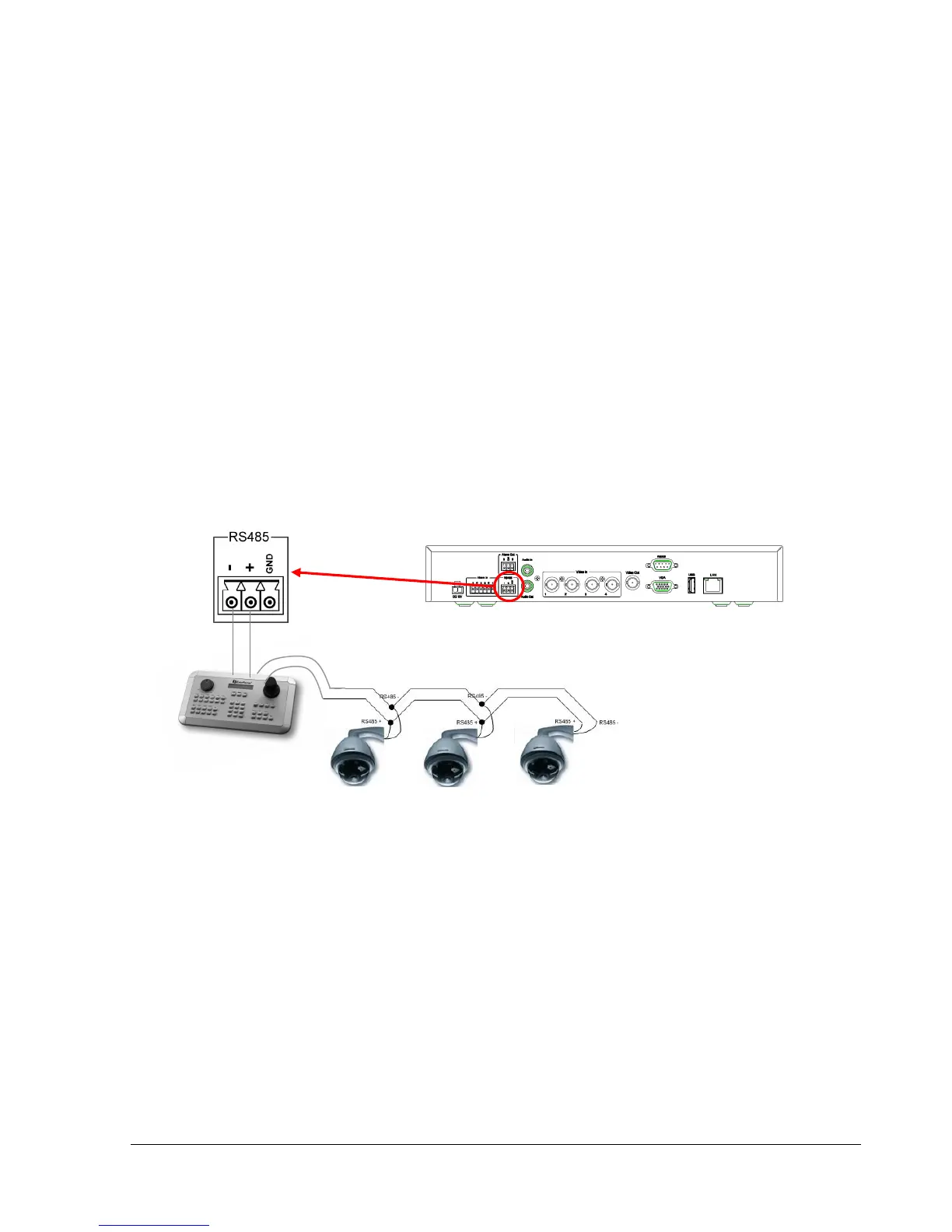
Speed dome or pan/tilt/zoom control is available through web browser if the DVR is connected to a
network. Local control is provided by the optional EKB 500 keyboard.
Supported protocols: EverFocus, Pelco-D, Pelco-P, Transparent, Samsung.
Figure 2.3
Sample installation with 3 EPTZ1000 speed domes and EKB500
Required DVR configuration: RS-485 receiver address in CAMERA menu; RS-485 parameters and
protocol in I/O CONTROL menu
ATTENTION: Some Pelco-D / -P protocol domes and receivers may require an address offset of -1. In
other words, the address in the DVR’s Camera Menu must be 1 below the address set in the actual dome /
receiver. (example: ID in Device = 3, ID in DVR = 2)















 To Next Page