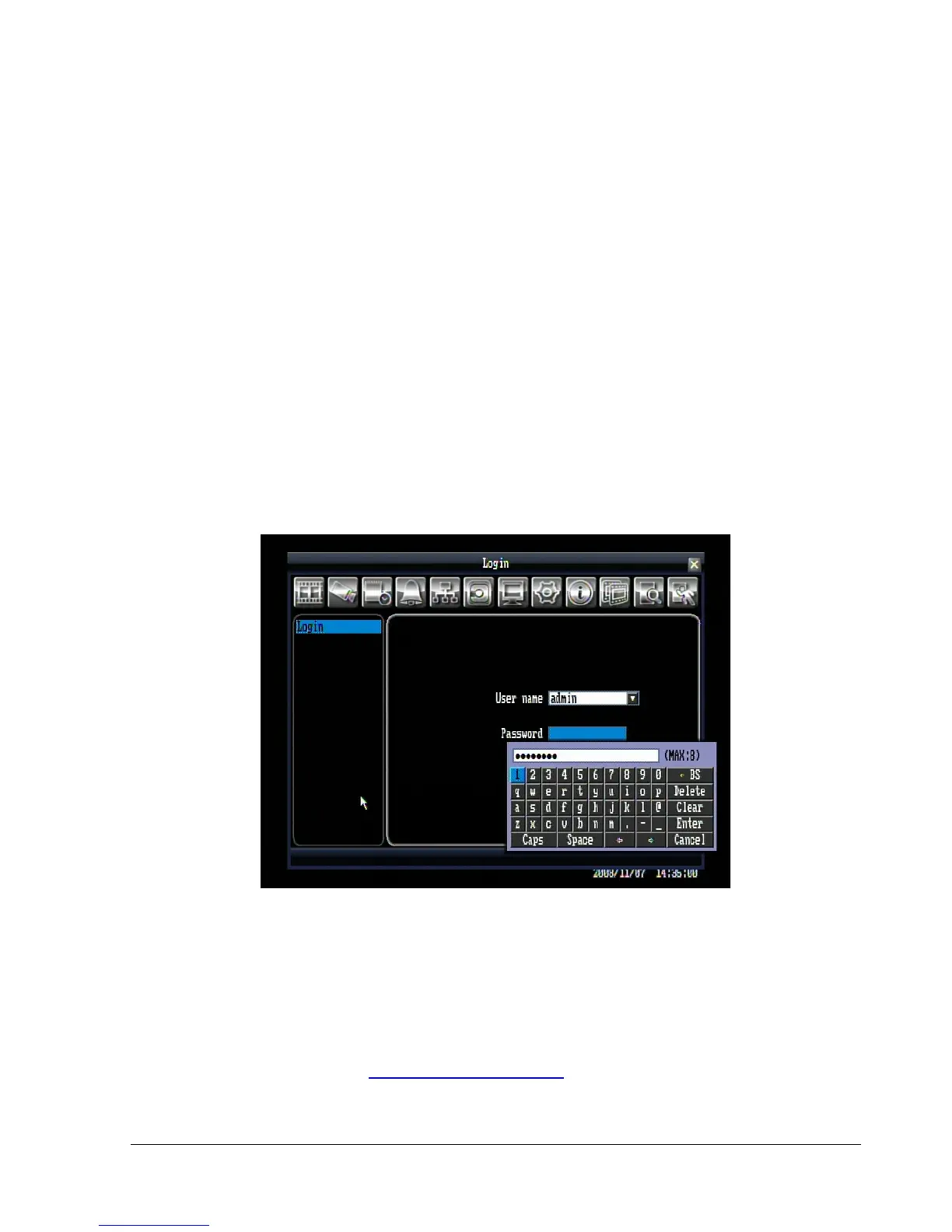
2. Input the desired user name and password. The defaults are:
User name: admin
Password: 11111111
+ To select a user name: click the drop down button to show the list of the users, then click the desired
user from the list.
(Using front panel: press “Enter” key to show the drop-down list. Use “Up” and “Down” key to select the
desired name, and press “Enter” key to confirm the selection.)
+ To input the password by mouse: click the password field to bring up the on-screen keyboard (see Figure
4.2). Click on each button to input the desired characters for the password. When finished, click “Enter” on
the on-screen keyboard to confirm the password.
(Using front panel: press “Enter” key to show the on-screen keyboard. Use the arrow keys to highlight each
character and press “Enter” key on front panel to input the selected characters. When finished, highlight
“Enter” on the on-screen keyboard and press “Enter” key on front panel to confirm the password input.
+ Click (or press “Enter” key) on “Login” button to log in to the system.
Figure 4.2 (on-screen keyboard)
3. If an invalid user name or password is used 5 times, the DVR will give an error message and
automatically lockdown. No access will be granted for 10 minutes without the backdoor password. To
obtain the backdoor password, you will need to contact EverFocus Technical Support and give the
provided access code.
EverFocus Support by phone: 1-888-884-9154 (toll-free)
EverFocus Support email: techsupport@everfocus.com















 To Next Page