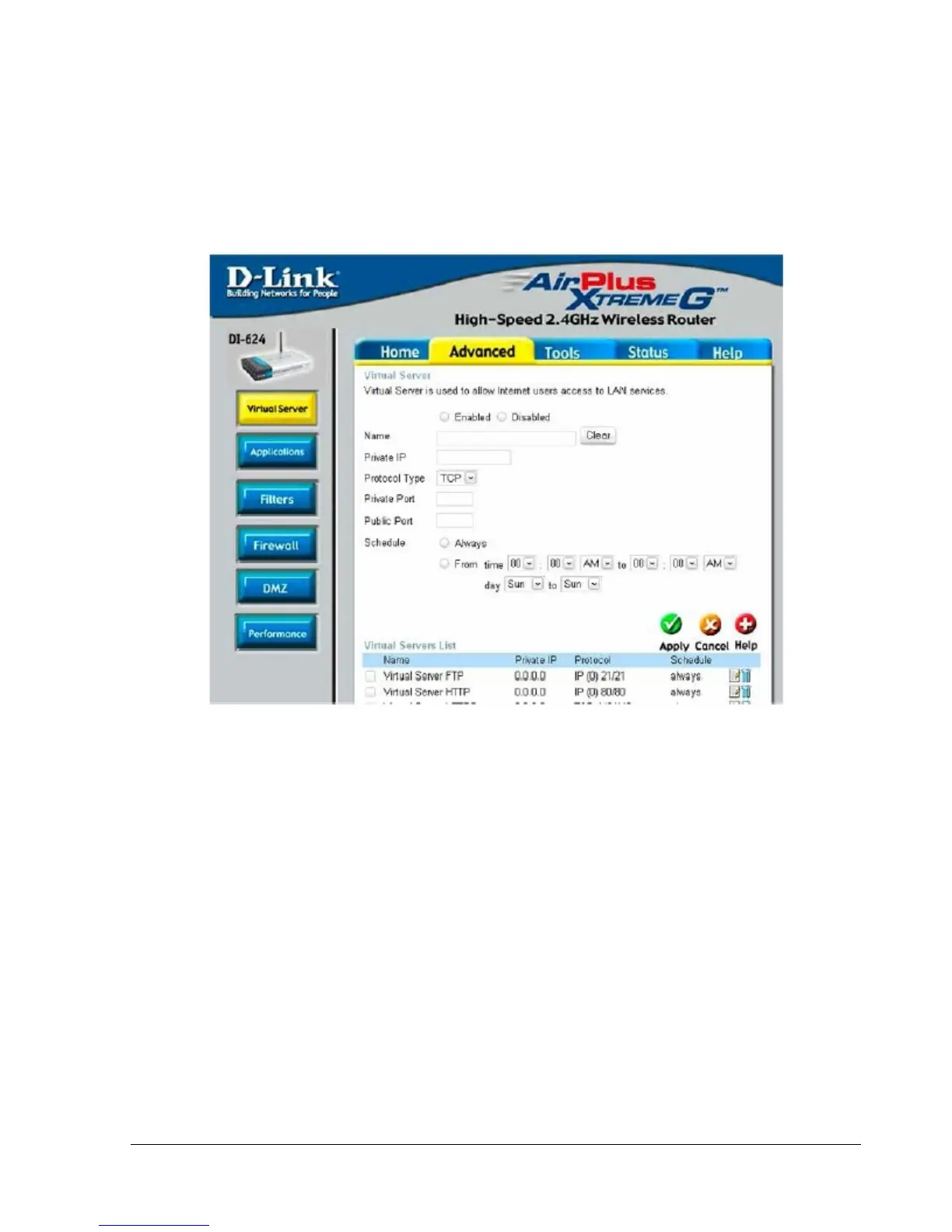
Click Virtual Servers on the left to bring up the following screen.
Virtual Servers allows users who are connecting remotely to access services on the router’s Local Network.
The functions of each field are described below.
Virtual Server - Select Enabled or Disabled
Name - Enter the name referencing the virtual service
Private IP - The IP address of the device running the local services.
Protocol Type - The protocol used for the virtual service.
Private Port – The port number that the service uses on the LAN (Local Area Network).
Public Port - The port number that the services uses on the WAN (Wide Area Network).
Schedule – The time period the virtual server will be active.















 To Next Page