7.3 REMOTE LIVE VIEW
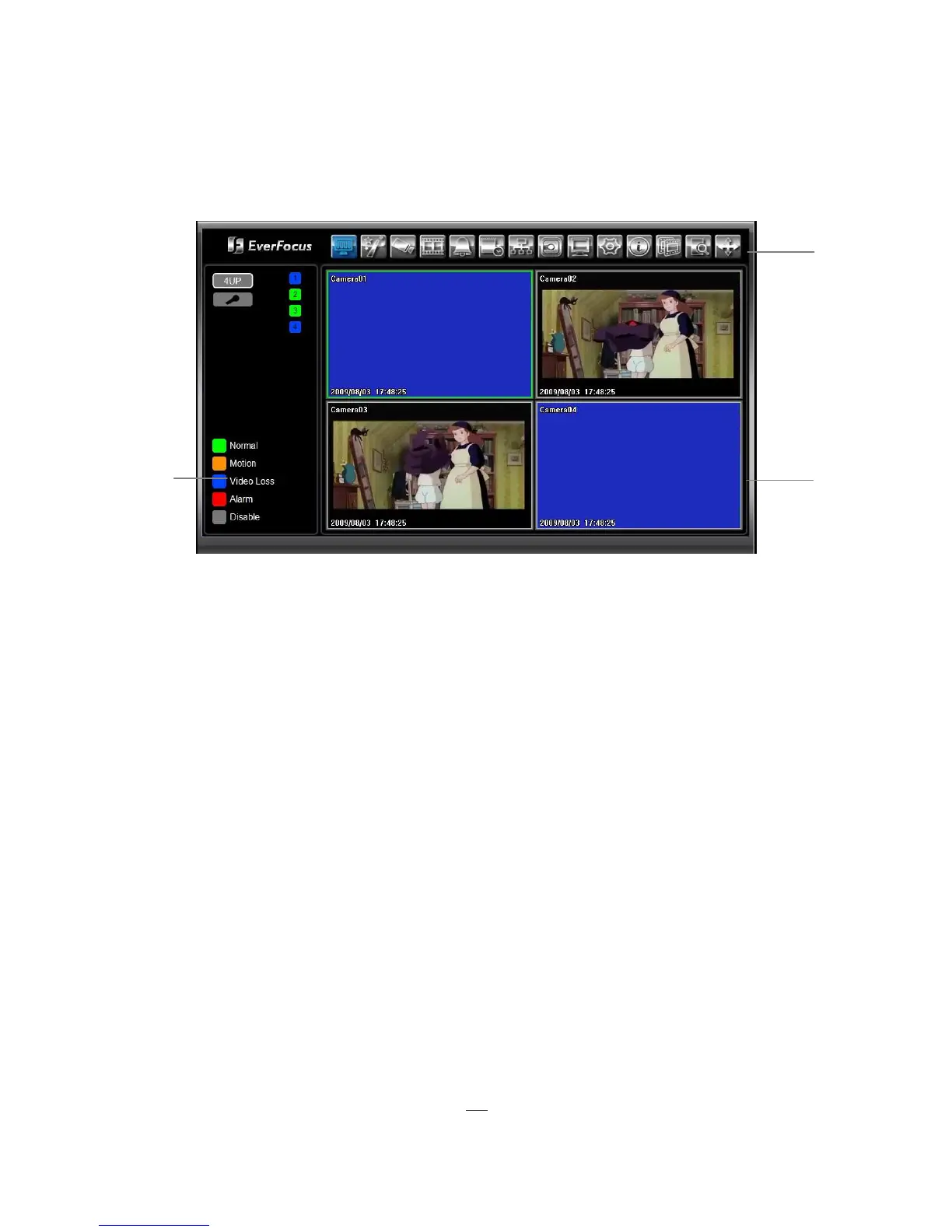
1. In the main page, you will see live images in a 4-screen display (or 8 screens, depending on the model).
2. The status of each camera is represented by different colors on the left side of the screen. Green
means normal; orange indicates a Motion; blue indicates Video Loss, red indicates an alarm event.
Click on a camera number to switch that camera to full screen. Click on “4UP” to display 4 screens.
You can also press “Mic” button to transfer audio to DVR from client side if there has microphone.
3. There are 14 icons at the top of screen. They have the same functions as the icons in the DVR’s Main
Menu.
3





 To Next Page