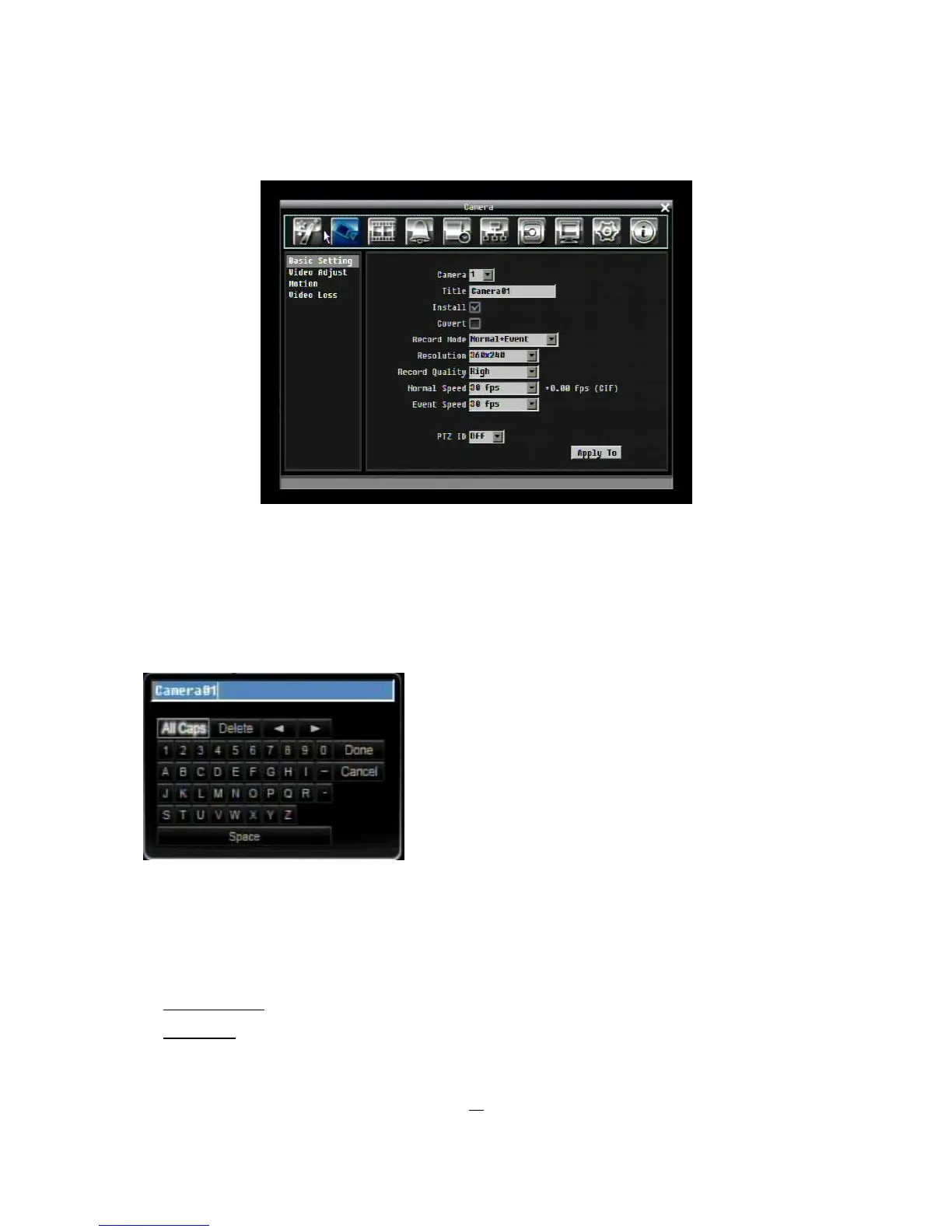
Figure 5-2 Camera Menu-Basic Setting
5.3.1 Basic Setting
Camera: Select the camera number.
Title: The title setting allows you to assign a title to selected camera. Each title supports up to 16
characters. The on-screen keyboard will appear when you click the title option.
Install: Check the box to enable the current camera. To take full advantage of the DVR’s recording abilities,
any unused cameras should have this option disabled.
Covert: Check the box to hide the camera picture in live and sequence modes. However, the image will still
be recorded and can be played back by any user who has playback rights.
Record Mode: 2 record modes are available.
Normal + Event: This recording mode includes continuous and event recording.
Event Only: Video will be recorded only when events occur.











 To Next Page