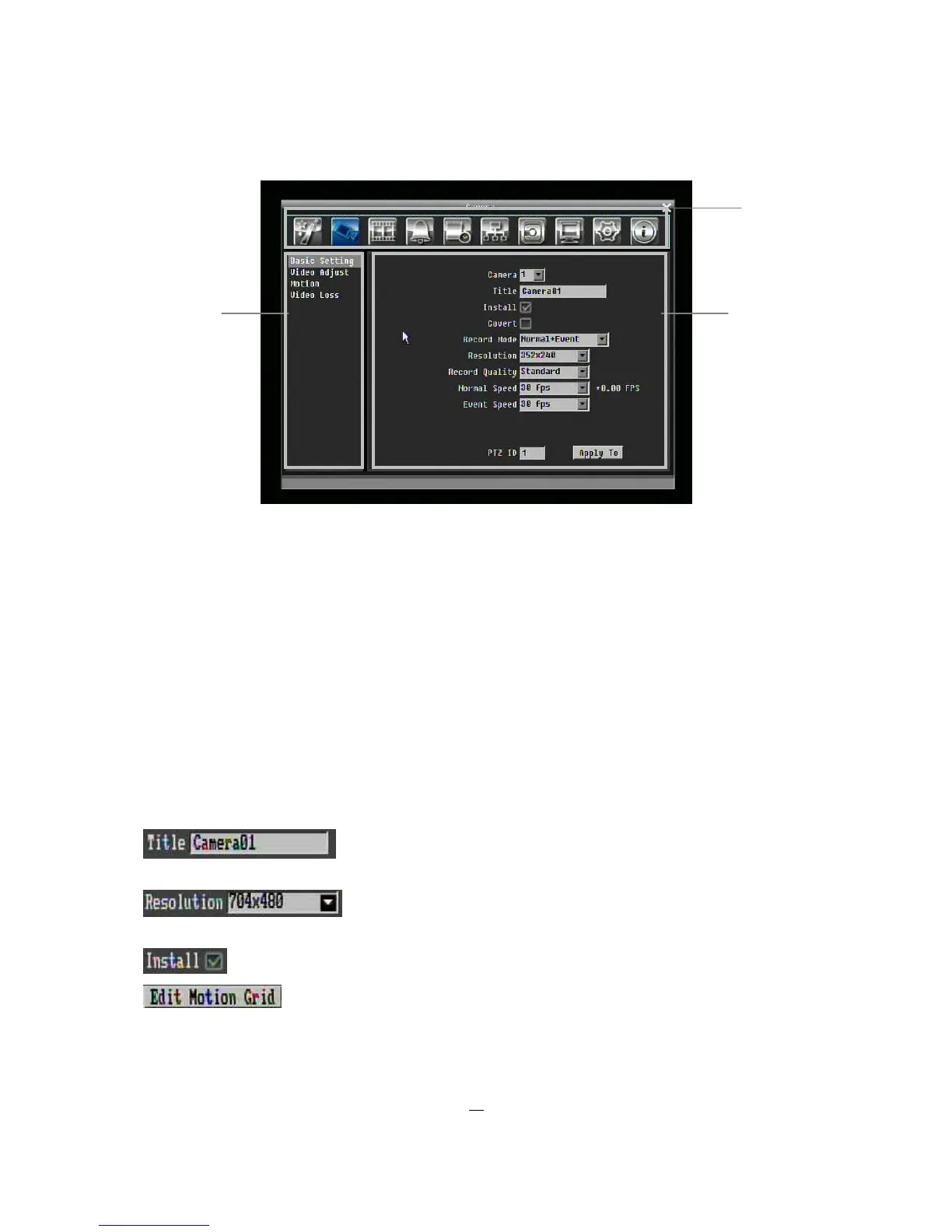
Figure 3-3 OSD Menu
○
1
In section 1, there are ten setup options available. Use arrow keys to highlight an icon and press “Enter”
to select it.
○
2
In section 2, the main options for the selected icon will be displayed. Use Up/Down arrow keys to
highlight an option and press “Enter” to select it.
○
3
In section 3, all the details for the selected option will be available here. Use arrow keys to move
between items and press “Enter” to make changes.
Note: press “Menu” button to go back to the previous menu section.
3.2.5 Component Options
Textbox: Press Enter key and an on-screen keyboard will appear. (see
below)
Dropdown box: Press “Enter” key to show the available options. Use
arrow keys to highlight the desired option and press “Enter” again to select it.
Check box: Press “Enter” key on a setting to enable it (checked) or disable it (unchecked).
Button: Press “Enter” key to execute the function.
○
1
○
3











 To Next Page