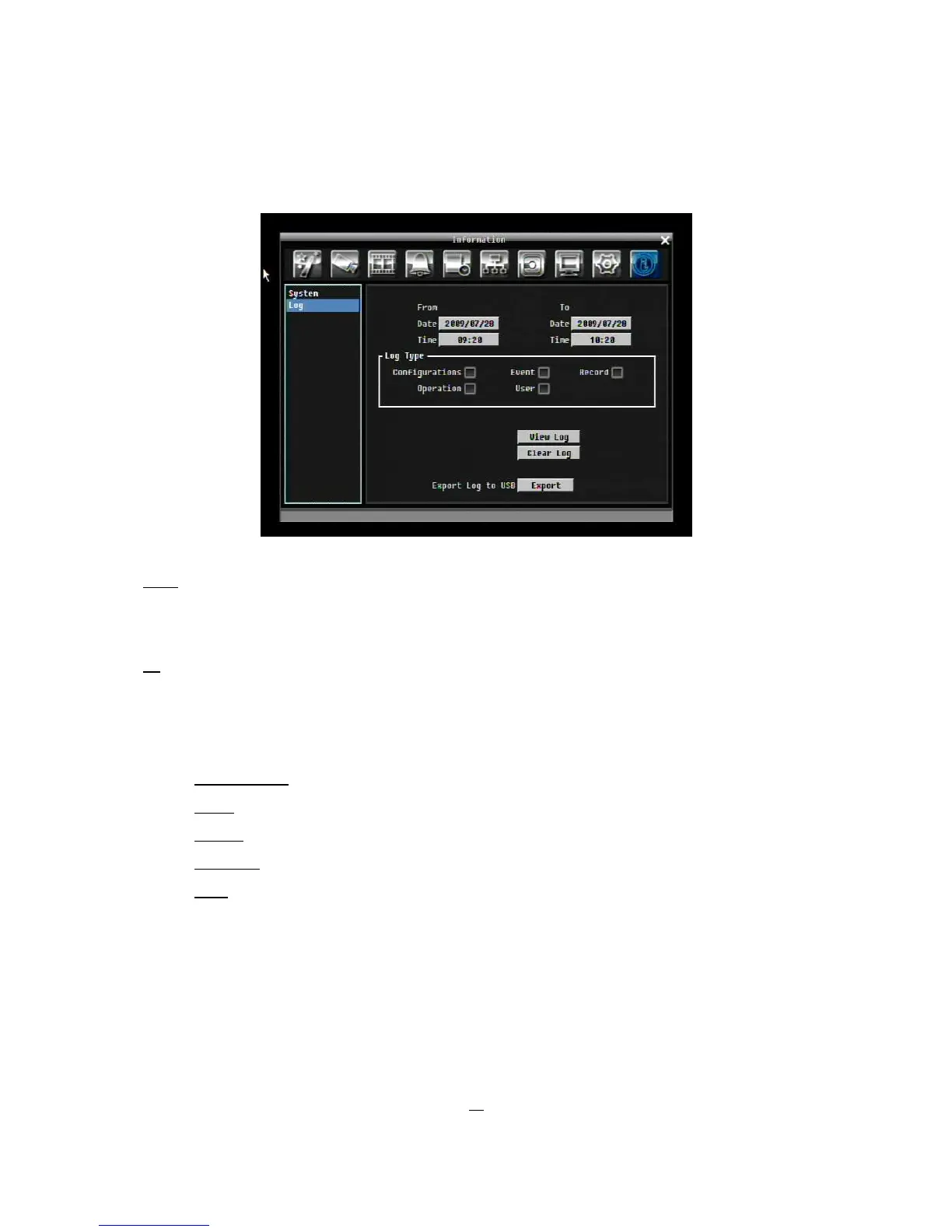
5.11.2 Log
Figure 5-38 Information Menu – Log
From
Date: Select starting date of log to be displayed.
Time: Select starting time of log to be displayed.
To
Date: Select end date of log to be displayed.
Time: Select end time of log to be displayed.
Log Type:
Configurations: to see log sorted by configurations.
Event: to see log sorted by event.
Record: to see log sorted by record data.
Operation: to see log sorted by operation.
User: to see log sorted by user.
View Log: Press “View Log” button to view the log. See
Figure 5-
for more detail.
Clear Log: Press “Clear Log” button to clear the log.
Export Log to USB: Press “Export’ button to export log data to USB.











 To Next Page