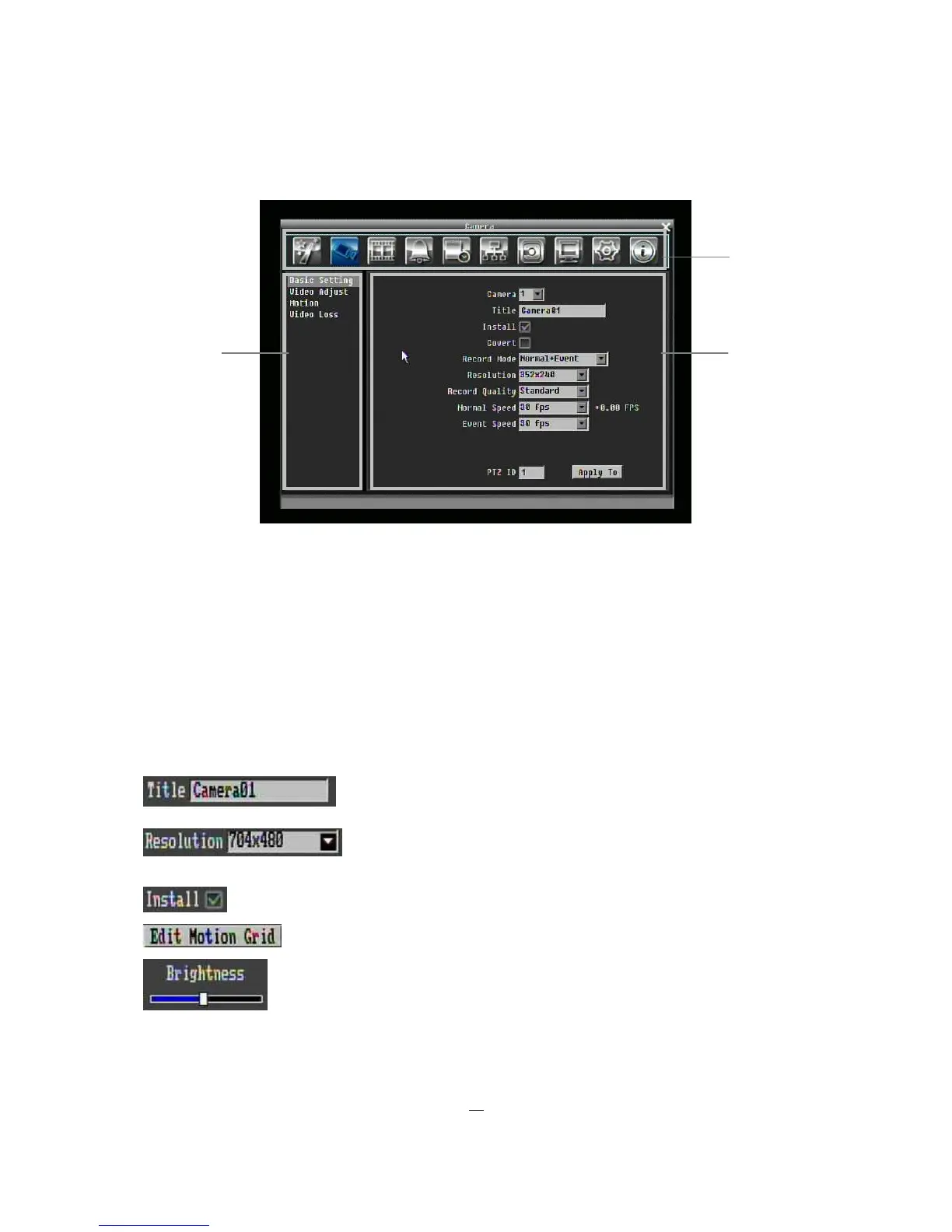
Figure 3-2 OSD Menu
○
1
In section 1, there are ten setup options available. Move the mouse over an icon and click to select it.
○
2
In section 2, the categories for the selected icon will be displayed. Click on a word to select it.
○
3
In section 3, all the details for the selected option will be available. Click on a field to make changes.
3.1.4 Component Options
The following are examples of different fields available in the Configuration menu.
Textbox: Click on the box and an on-screen keyboard will appear. (see
below)
Dropdown box: Click on the down arrow to see all selections, then
directly click on an option to select it.
Check box: Click on the box to enable it (checked) or disable it (unchecked).
Button: Click the button to execute the function.
Bar: Click and hold on the bar to adjust the cursor Left or Right.
○
1











 To Next Page