b. Click the number of the desired tour
c. Click “Delete” button
Click “C” to clear the digit in cell
Click “X” at top-right corner to close PTZ menu.
Click “Exit” to leave PTZ function.
4.6.2 Express control PTZ
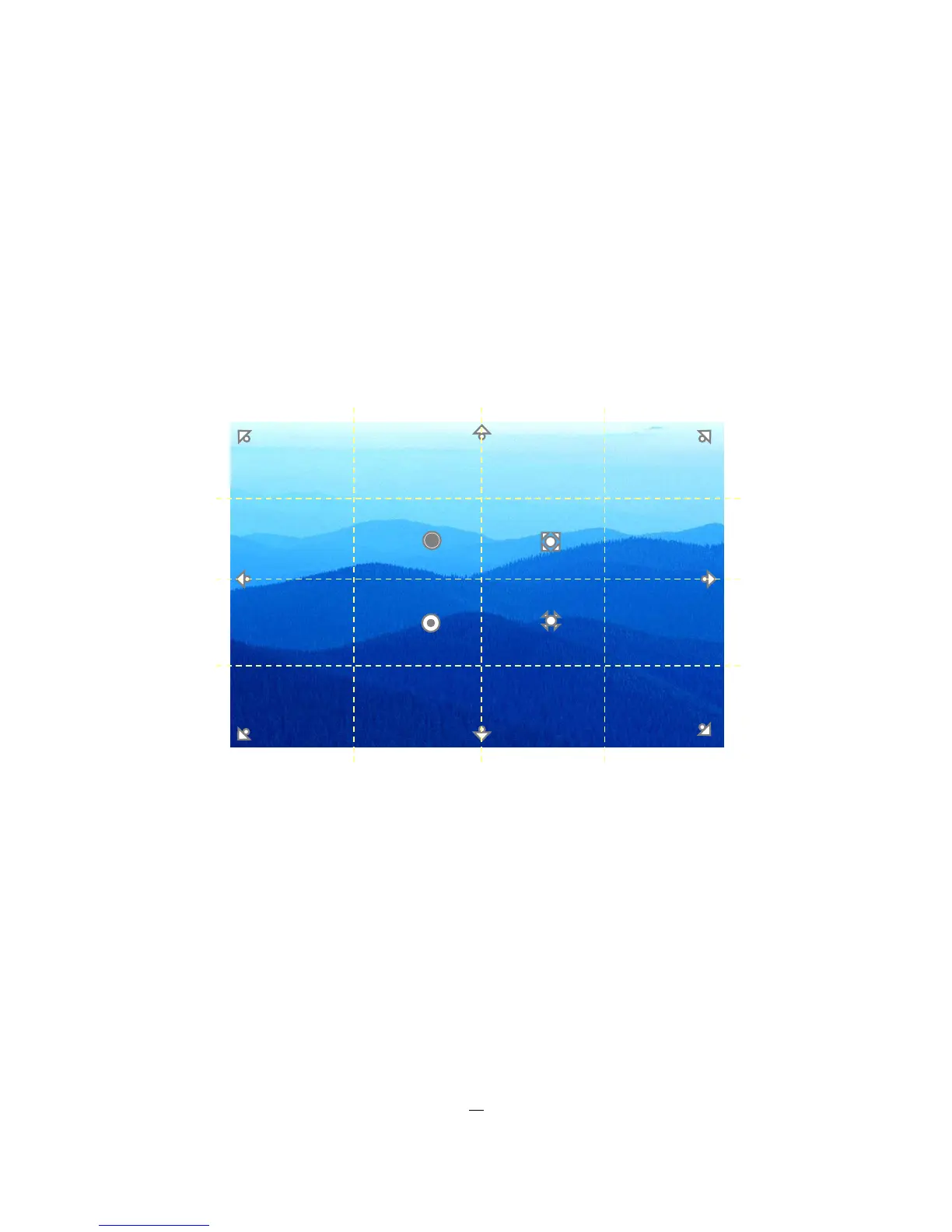
When PTZ menu is closed, the mouse cursor will change to a different icon in different areas of the screen.
User can control PTZ direction, zoom, and focus by clicking directly on screen.
Figure 4-3 Express Control PTZ
The screen is divided into a 4x4 grid. The function of each section is defined as below:
• 1: PTZ pan/tilt left and up
• 2, 3: PTZ tilt up
• 4: PTZ pan/tilt right and up
• 5, 9: PTZ pan left
• 8,12: PTZ pan right
• 13: PTZ pan/tilt left and down
• 14, 15: PTZ tilt down
• 16: PTZ pan/tilt right and down
• 6: Focus closer
• 10: Focus further
Zoom +











 To Next Page