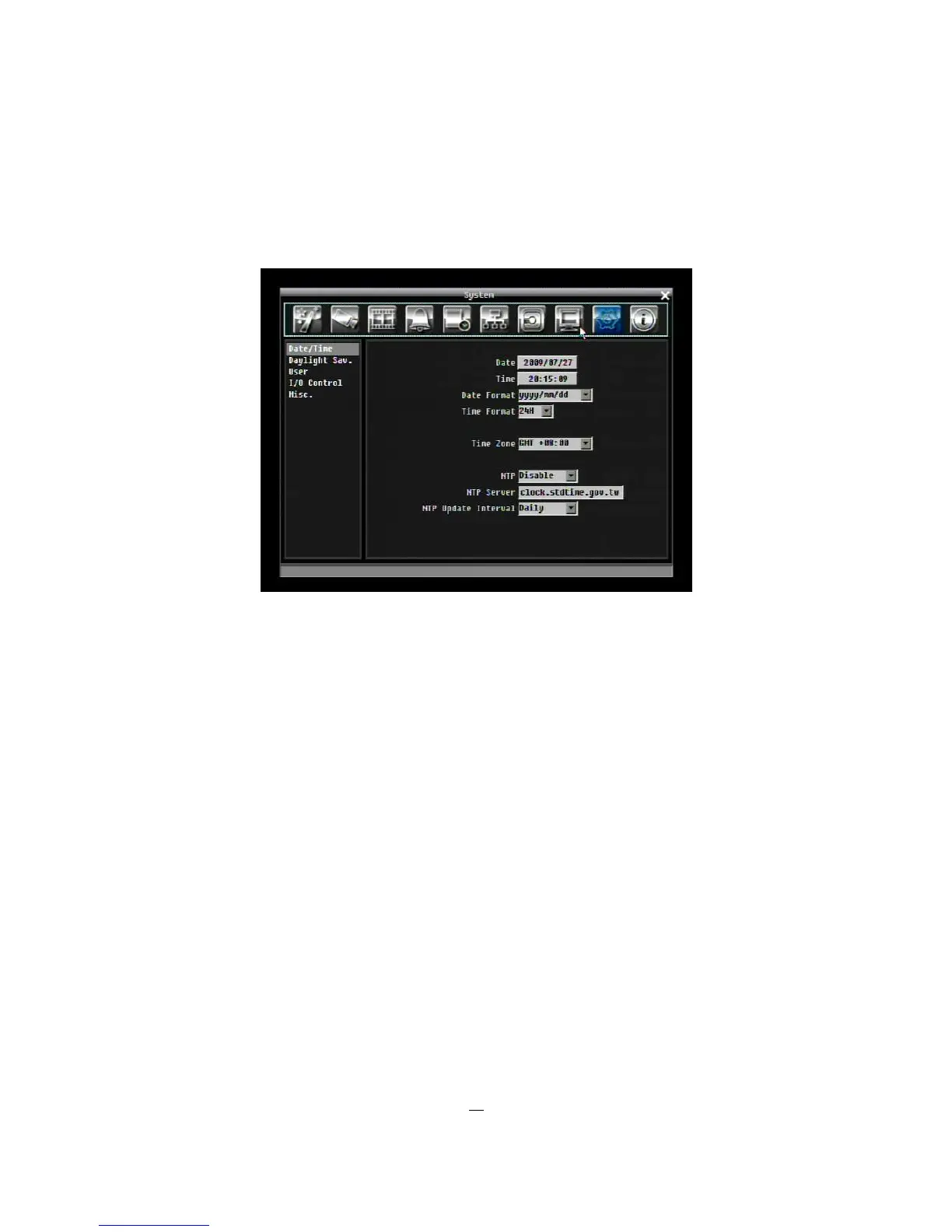
5.10 SYSTEM SETTING
Figure 5-30 is a screen shot of the SYSTEM SETTING MENU. This menu is for setting up the system
configurations of the DVR.
Figure 5-30 System Menu – Date/Time
5.10.1 Date/Time
Date: Set current Date.
Time: Set current Time.
Date Format: Choose date format from yyyy/mm/dd, dd/mm/yyyy, and mm/dd/yyyy.
Time Format: Change time format between 12H and 24H mode.
Time Zone: Set the time zone that the DVR adjusts to when updating from the time server.
NTP: Select “Enable” or “Disable” NTP time synchronization.
NTP Server: Displays the time server address that the uses for time synchronize. To find a compatible
NTP address, please follow these steps:
a) Go to a PC that is connected to the internet.
b) Click on “START” -> “RUN” -> type “command” and press “OK”.
c) In the DOS Prompt, type “ping pool.ntp.org” to find out the IP address of an NTP Server.
NTP Update Interval: The frequency that the system automatically updates the time. Select Daily, Weekly,
or Monthly.











 To Next Page