5 DVR CONFIGURATION
This chapter will walk you through the DVR Menu Settings step by step and show you how to set the DVR
for your specific application.
5.1 CONFIGURATION MENU
1. To bring up the Main Menu, press the “Menu” key on the front panel or right-click with the USB mouse
to bring up the OSD menu bar.
2. Press “Enter” or left-click on the “Configuration” icon “ ” to enter configuration menu.
5.2 EXPRESS
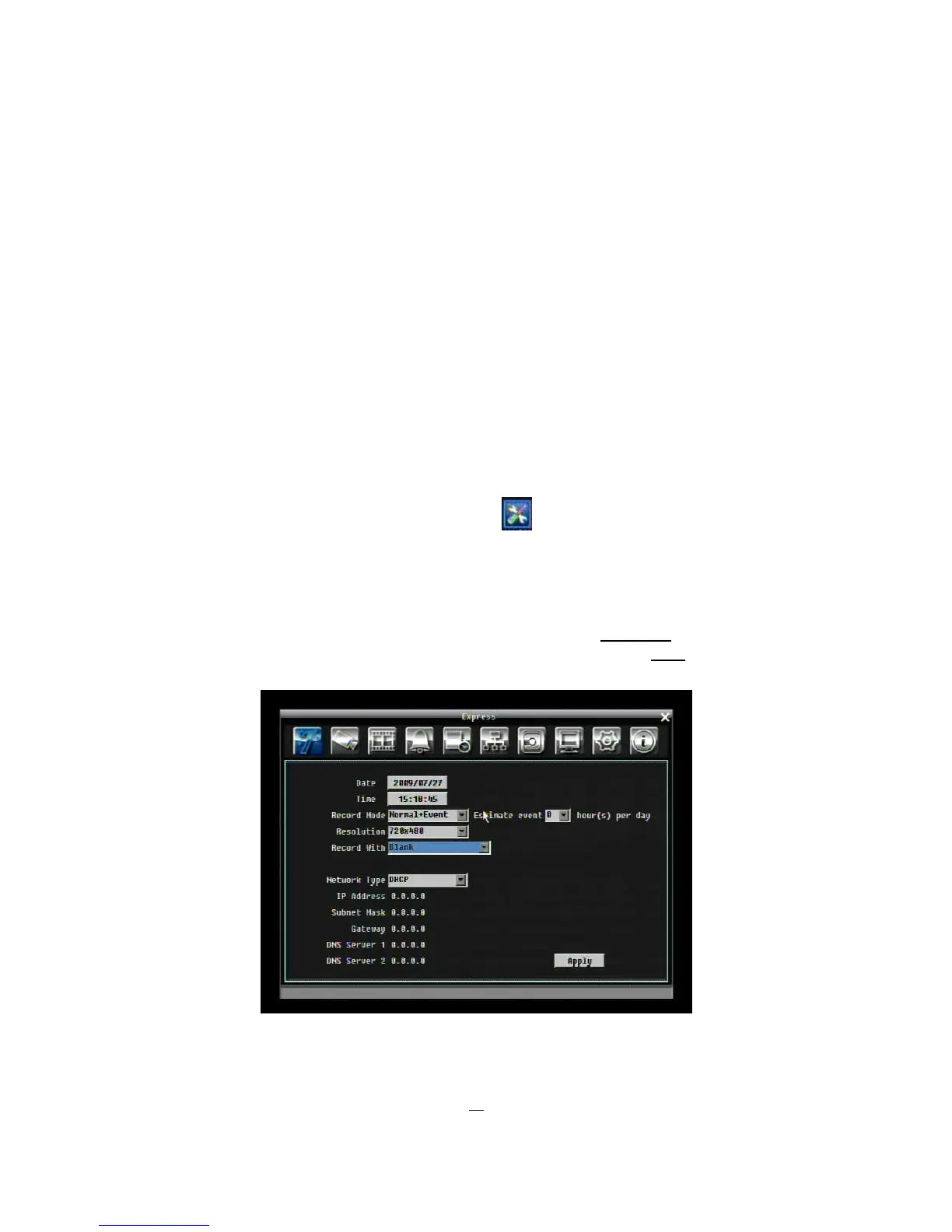
Figure 5-1 Express Menu is a screen shot of the EXPRESS SETTING MENU. This menu is used to
configure express setting for all cameras. For example, if user selects Event Only in Record Mode and
presses “Apply” button, all 4/8 cameras will be set to Event only. If user selects Blank in Recording Mode
and presses “Apply” button, 4/8 cameras will keep their own current record modes without changing.
Figure 5-1 Express Menu











 To Next Page